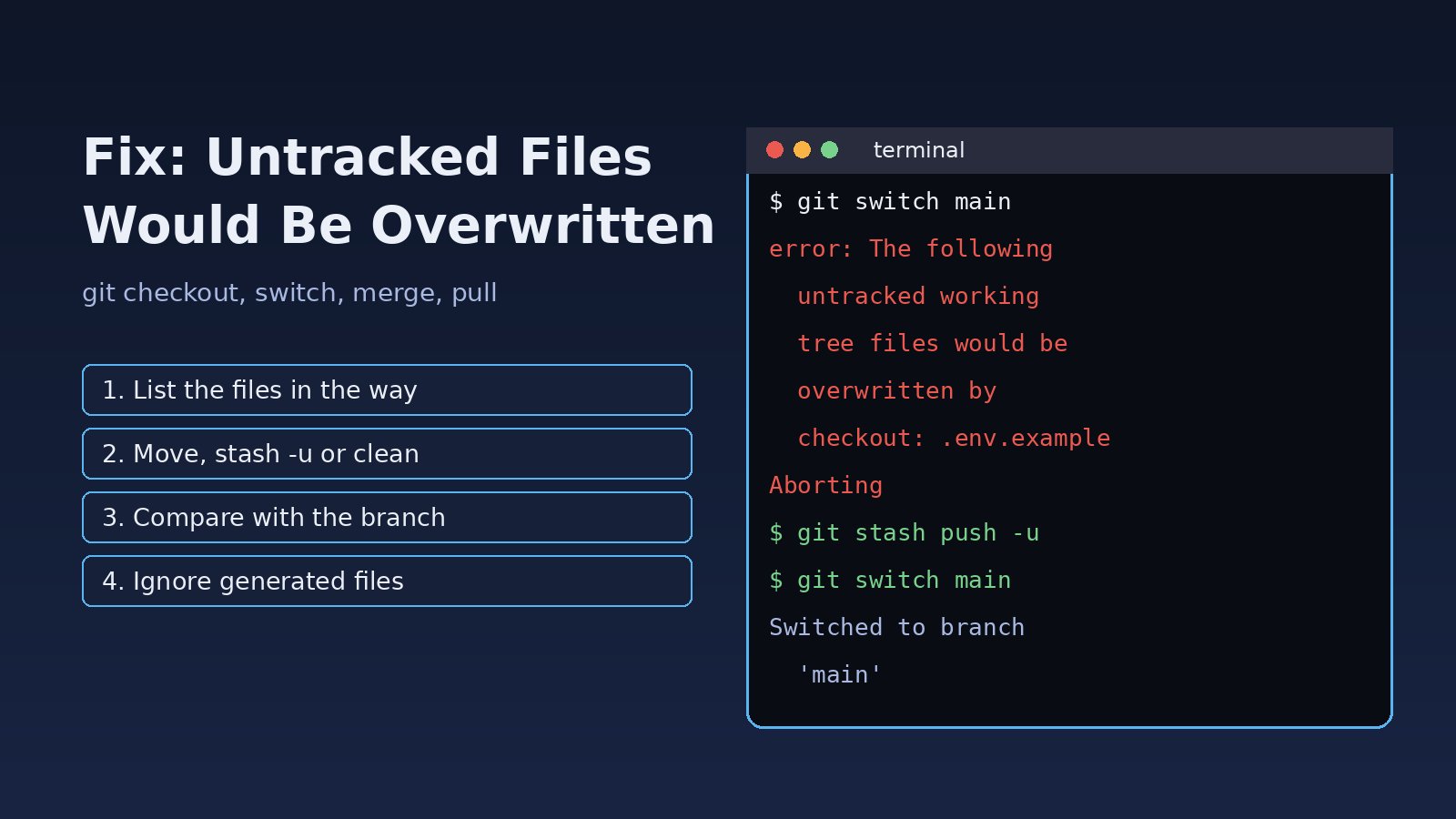
You try to switch branches, merge or pull, and Git refuses with error: The following untracked working tree files would be overwritten by checkout, followed by a list of files and Aborting. The untracked working tree files would be overwritten error is Git protecting you: files exist in your folder that Git is not tracking, and the branch or commit you are moving to contains tracked files at the same paths. If Git continued, your local copies would be replaced and could not be recovered. This guide explains why it happens and how to fix it safely with mv, git stash -u or git clean, without losing work you need.
Problem: Untracked Working Tree Files Would Be Overwritten
Git sorts every file in your working directory into three groups: tracked (part of the current commit), ignored (matched by .gitignore) and untracked (everything else). Untracked files belong only to you; Git has no copy of them in any commit. When a checkout, merge, pull, rebase or reset needs to write a tracked file to a path where an untracked file already exists, Git stops before touching anything. Nothing has changed yet when you see the error, so you have time to decide what to keep.
Symptoms
The message varies slightly depending on the command. These are the forms you will usually see:
$ git checkout main
error: The following untracked working tree files would be overwritten by checkout:
	.env.example
	config/services.php
Please move or remove them before you switch branches.
Aborting

$ git pull origin main
From github.com:team/app
 * branch            main       -> FETCH_HEAD
Updating 3f2a1c0..9b7d4e2
error: The following untracked working tree files would be overwritten by merge:
	public/build/manifest.json
Please move or remove them before you merge.
Aborting
The same check runs during git switch, git rebase and git cherry-pick. In CI or on a deployment server it often shows up as a failed git pull in a deploy script, leaving the server on the old commit.
Do not confuse it with the similar message error: Your local changes to the following files would be overwritten by checkout. That one is about tracked files you have modified, and the usual fix is to commit or stash those changes. This article is about files Git does not track at all.
Root Cause
The error always means the same thing: a path is untracked on your side and tracked on the target side. The common ways that happens are:
- Someone committed a file you created locally. You created
.env.example, a config file or a script, and a teammate added a file with the same name to the branch you are switching to or pulling. - Generated files were committed upstream. Build output such as
public/build,dist,package-lock.jsonorcomposer.lockexists on your machine because you ran a build, and now the remote branch tracks those files too. - A file was removed from
.gitignore. The file was ignored on your branch, so you had a local copy, and another branch started tracking it. - Case-only renames. On macOS and Windows the filesystem is usually case-insensitive, so
Readme.mdon disk collides withREADME.mdin the target commit. - Files copied onto a server by hand. Someone uploaded a hotfix with
scpor an FTP client instead of committing it, and the same file later arrived through Git.
Note that ignored files are treated differently: by default Git considers them expendable and may overwrite them during a checkout or merge without asking. The safety check only covers untracked files that are not ignored.
Step-by-Step Solution
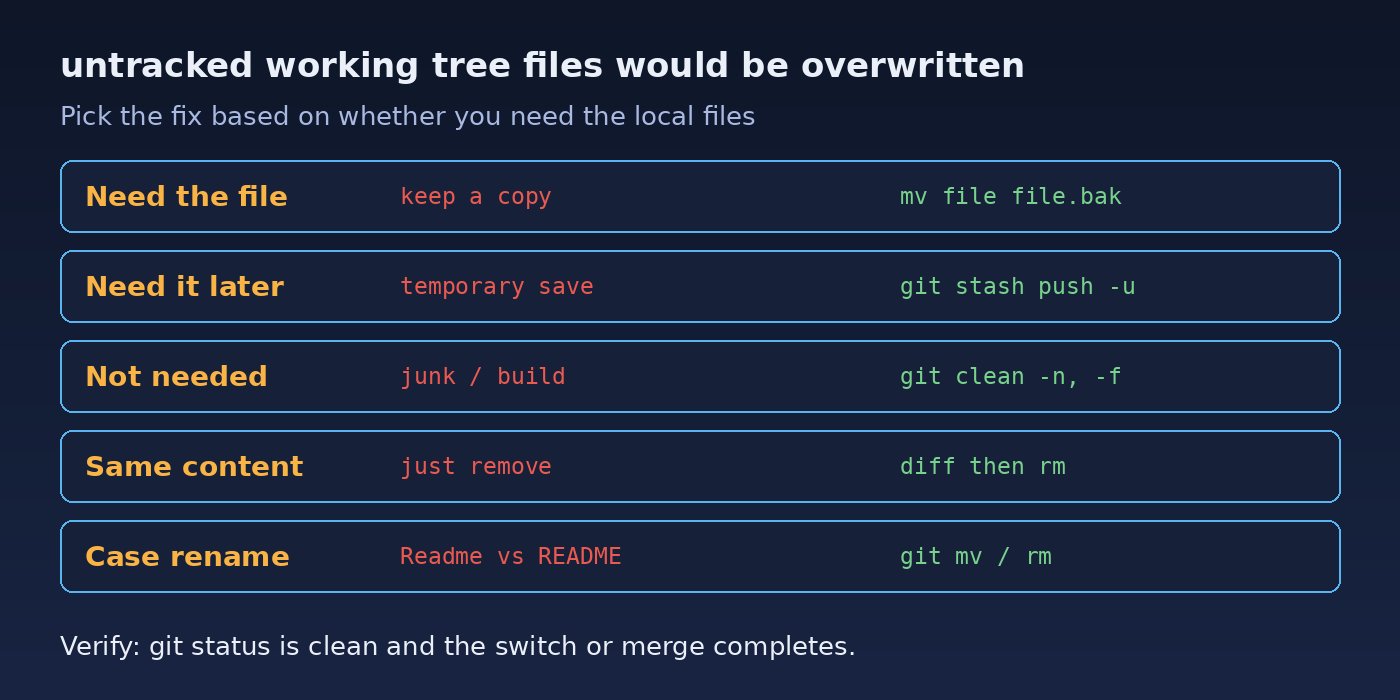
Step 1: List the files Git is complaining about
Read the list in the error message carefully. Then check what Git sees on your side:
git status --short --untracked-files=all
# ?? lines are untracked files
git ls-files --others --exclude-standard
Confirm the files really are tracked on the target branch:
git fetch origin
git ls-tree -r --name-only origin/main | grep -F "config/services.php"
Step 2: Compare your copy with the branch version
Before deleting anything, see whether your local file differs from the one in the target branch. If they are identical, you can remove yours without losing anything:
git show origin/main:config/services.php > /tmp/services.branch.php
diff config/services.php /tmp/services.branch.php
Step 3a: Move the files out of the way (safest)
If you are unsure whether you need a file, rename or move it, run the command again, and then compare later:
mkdir -p ../untracked-backup
mv config/services.php ../untracked-backup/
mv .env.example ../untracked-backup/
git switch main      # or: git checkout main / git pull
Step 3b: Stash the untracked files with git stash -u
Plain git stash only saves tracked changes. Add -u (--include-untracked) so untracked files are stashed and removed from the working tree:
git stash push -u -m "local files before switching to main"
git switch main
# later, inspect or restore them
git stash list
git stash show -p --include-untracked stash@{0}
git stash pop        # may conflict if the same paths now exist
If git stash pop stops with a similar error, it is because the branch now tracks those paths. Restore single files manually with git checkout stash@{0}^3 -- path/to/file (the third parent of a stash commit holds the untracked files) into a different location, or keep using the moved copies from Step 3a.
Step 3c: Delete files you do not need with git clean
git clean permanently deletes untracked files. Always do a dry run first with -n:
git clean -n                 # show what would be removed
git clean -n -d              # include untracked directories
git clean -f -- public/build/manifest.json   # remove only specific paths
git clean -fd -- public/build                # remove a directory
git clean -i                 # interactive mode
Avoid git clean -fdx unless you really want to remove ignored files too; it deletes .env, vendor, node_modules and local uploads.
Step 3d: Force the operation when local files are disposable
When you are sure the untracked files can be replaced, you can let Git overwrite them:
# switching branches: -f proceeds even if untracked files are in the way
git checkout -f main

# making a deployment server match the remote exactly
git fetch origin
git reset --hard origin/main
Both commands also throw away uncommitted changes to tracked files, so use them only on machines where nothing local should be kept, such as a build server. If you have local commits to protect first, read how to undo the last Git commit safely to understand what reset does.
Step 4: Fix Git merge untracked files during a pull
For git pull, the problem happens in the merge (or rebase) step. Fetch first, check which files collide, deal with them using one of the options above, and then integrate:
git fetch origin
git diff --name-only HEAD origin/main      # files that will change
git stash push -u
git merge origin/main      # or: git rebase origin/main
git stash pop
If the pull then complains about diverging history instead, follow the guide to fix Git divergent branches.
Step 5: Handle case-only renames on macOS and Windows
If the colliding file differs only in letter case, rename it through Git so the index and the filesystem agree:
git config core.ignorecase      # usually true on macOS and Windows
git mv readme.md README.tmp
git mv README.tmp README.md
git commit -m "Normalize README filename case"
Code and Commands: Laravel and Node.js Examples
A typical Laravel deployment hits this error after someone commits compiled Vite assets. A safe deploy script checks for collisions before pulling:
#!/usr/bin/env bash
set -euo pipefail
cd /var/www/app
git fetch origin main
# untracked files that the incoming commit would overwrite
collisions=$(comm -12 \
  <(git ls-files --others --exclude-standard | sort) \
  <(git ls-tree -r --name-only origin/main | sort))
if [ -n "$collisions" ]; then
  echo "Untracked files would be overwritten:"; echo "$collisions"
  mkdir -p /var/backups/app-untracked
  echo "$collisions" | xargs -I{} cp --parents {} /var/backups/app-untracked/
  echo "$collisions" | xargs rm -f
fi
git merge --ff-only origin/main
composer install --no-dev --optimize-autoloader
php artisan migrate --force
For a React or Next.js project, generated folders such as .next, dist and build should never be committed. If one was, remove it from the index on the branch that tracks it and ignore it:
echo -e ".next/\ndist/\nbuild/" >> .gitignore
git rm -r --cached .next dist build
git commit -m "Stop tracking build output"
Verification
After applying a fix, confirm that the operation completed and nothing is left behind:
git status                # "nothing to commit, working tree clean"
git branch --show-current # the branch you wanted
git log --oneline -1      # the expected commit
git stash list            # check any stash you still need to restore
Finally, compare any backed-up files with the versions now in the repository and copy across anything you still need, then commit it properly or move it to a config file that is ignored.
Prevention
- Keep generated and environment-specific files in
.gitignore: build folders,vendor,node_modules,.envand local logs. - Agree as a team whether lock files such as
composer.lockandpackage-lock.jsonare committed, and commit them from the start rather than later. - Run
git statusbefore switching branches, and usegit stash push -uwhen you have untracked work in progress. - Never patch production servers by copying files; commit, push and deploy so the server only ever receives files through Git.
- In CI, start from a fresh checkout or use
git reset --hardandgit clean -fdon build agents that are meant to be disposable. - Avoid case-only renames on case-insensitive filesystems, or do them with two
git mvsteps as shown above. If a branch switch leaves you in an odd state, see how to fix a Git detached HEAD.
FAQs
What does untracked working tree files would be overwritten mean?
You have files that Git does not track, and the branch or commit you are moving to contains tracked files at the same paths. Git aborts so it does not destroy your local copies.
How do I fix this Git checkout error without losing files?
Move the listed files to a backup folder or run git stash push -u, then switch branches. Afterwards compare your copies with the branch versions and keep what you need.
How do I fix Git merge untracked files during git pull?
Run git fetch, stash or move the colliding untracked files, then run git merge origin/main (or git pull again). On a server where nothing local matters, git reset --hard origin/main makes it match the remote.
Why does git stash not fix the error?
Plain git stash ignores untracked files. Use git stash push -u or git stash --include-untracked.
Is git clean safe to run?
Only after a dry run. git clean -n lists what would be deleted, and deleted untracked files cannot be recovered from Git. Never add -x unless you also want ignored files such as .env removed.
Why does the error mention a file I never created?
It was usually generated by a build tool, a package manager or your IDE. Check the file's timestamp and contents, and add the generating folder to .gitignore if it should not be in the repository.



Comments
Join the discussion. Replies load on demand, up to 5 levels.
0 threads
No comments yet
Be the first to start the conversation.