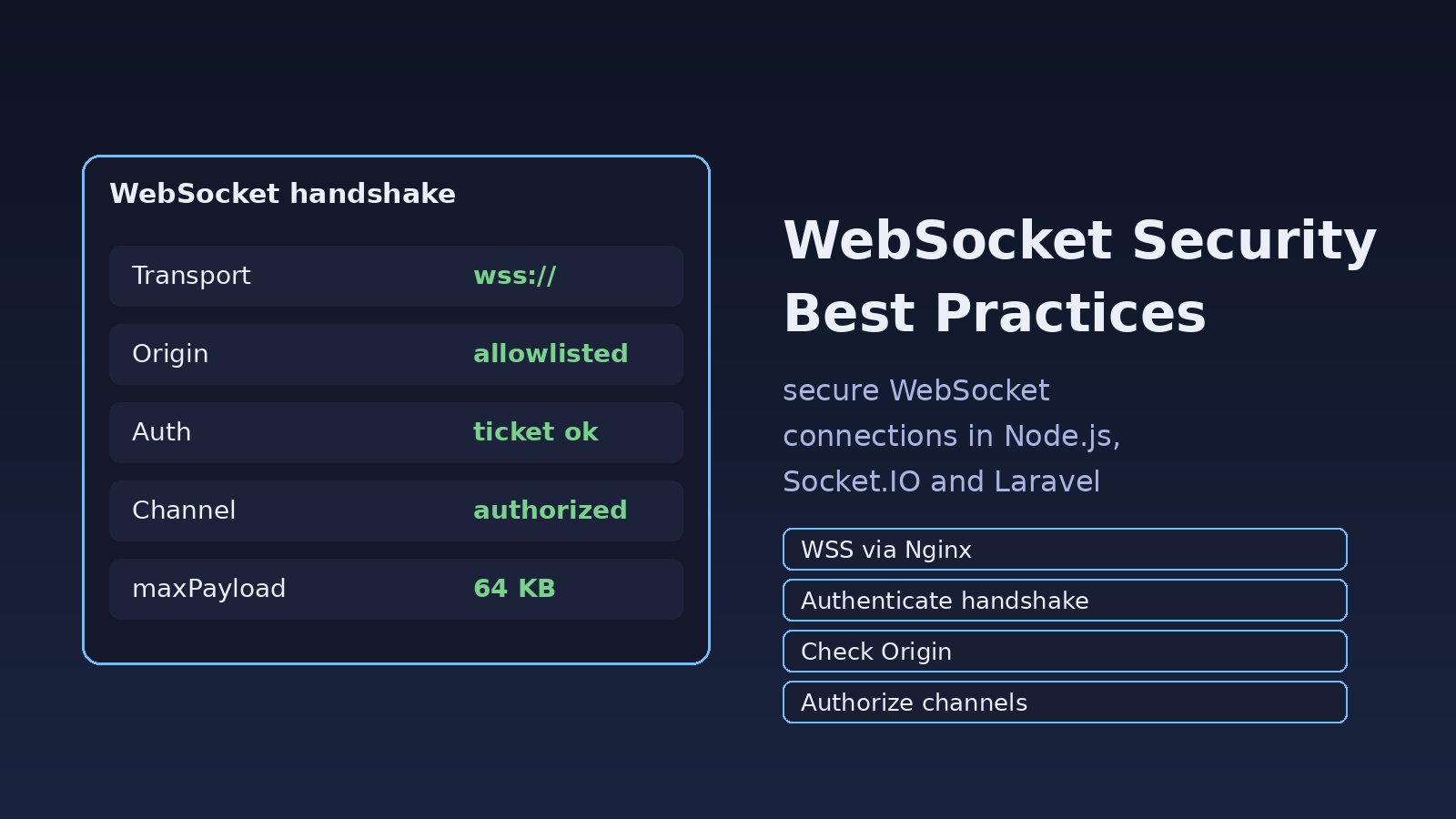
Your REST API checks a token on every request, but the WebSocket endpoint next to it accepts any connection that reaches /ws. Once the upgrade succeeds, your HTTP middleware never runs again, and a client can subscribe to another tenant's order updates in your ERP. Following websocket security best practices means encrypting the connection, authenticating the handshake, checking the Origin header, authorizing every channel and limiting what each client may send. This guide shows how in Node.js with ws and Socket.IO, Laravel Reverb and Nginx.
Problem: The WebSocket Endpoint Skips Your Normal Security
A WebSocket starts as an HTTP GET with Upgrade: websocket. After the server answers 101 Switching Protocols, the connection stays open and messages flow both ways without new HTTP requests. Anything you only check in HTTP middleware (auth, CSRF, rate limits, tenant scoping) has to be done again at the handshake and then on each message.
Browsers also treat WebSockets differently from fetch. CORS does not apply to the handshake, and the browser sends your cookies with it from any site that opens the connection. If the server trusts the cookie and ignores the Origin header, a page on another domain can open a socket as your logged-in user. This is called Cross-Site WebSocket Hijacking (CSWSH).
Symptoms of an Insecure WebSocket Setup
- Production uses
ws://, and Chrome blocks it on HTTPS pages:Mixed Content: The page at 'https://app.example.com/' was loaded over HTTPS, but attempted to connect to the insecure WebSocket endpoint 'ws://app.example.com/ws'. This request has been blocked; this endpoint must be available over WSS. - A test page on
http://localhost:5500can connect to your production socket and receive live data. - Tokens appear in Nginx access logs as
GET /ws?token=eyJhbGciOi.... - A user who changes a channel name in DevTools (for example
orders.41toorders.42) receives someone else's events. - Logged-out or disabled users keep receiving messages because their socket was never closed.
- Node.js memory jumps when one client sends very large frames or floods messages.
Root Cause: Authentication and Authorization Stop at the Upgrade
Most of these problems come from four gaps. The transport is not TLS, so frames and tokens travel in clear text. The handshake is accepted before identity is checked, or identity comes from a cookie without an Origin check. Channel subscriptions are not checked against the user's permissions. And the server sets no limits on message size, rate or connection lifetime, so one client can exhaust it.
The browser WebSocket API cannot set custom headers such as Authorization. Developers often work around that by putting a long-lived JWT in the URL, where it ends up in proxy logs, browser history and error trackers.
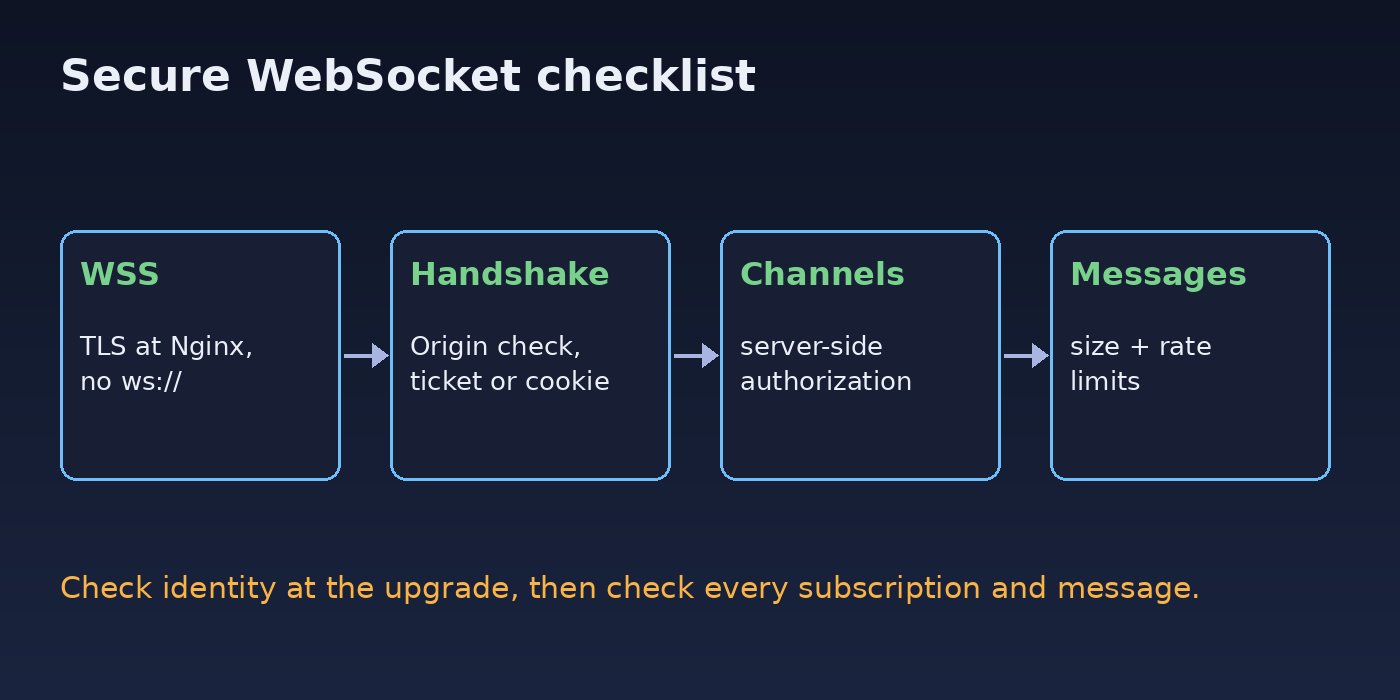
WebSocket Security Best Practices: Step-by-Step Solution
Step 1: Use WSS by terminating TLS at Nginx
A secure WebSocket uses wss://, which is WebSocket over TLS. The simplest setup terminates TLS at Nginx and proxies to your Node.js or Reverb process on localhost. Nginx needs HTTP/1.1 and the upgrade headers, or the handshake fails:
map $http_upgrade $connection_upgrade {
    default upgrade;
    ''      close;
}

server {
    listen 443 ssl http2;
    server_name app.example.com;

    location /ws {
        proxy_pass http://127.0.0.1:8080;
        proxy_http_version 1.1;
        proxy_set_header Upgrade $http_upgrade;
        proxy_set_header Connection $connection_upgrade;
        proxy_set_header Host $host;
        proxy_set_header X-Forwarded-For $proxy_add_x_forwarded_for;
        proxy_read_timeout 120s;
    }
}
Bind the Node.js server to 127.0.0.1 so nobody can reach it directly without TLS. If the socket still refuses to connect after this change, work through WebSocket connection failed causes before changing app code.
Step 2: Add WebSocket authentication at the handshake
Reject unauthenticated clients before the upgrade completes. With the ws library, create the server with noServer: true and handle the HTTP upgrade event yourself:
const http = require('http');
const { WebSocketServer } = require('ws');
const jwt = require('jsonwebtoken');

const ALLOWED_ORIGINS = new Set(['https://app.example.com']);
const server = http.createServer();
const wss = new WebSocketServer({ noServer: true, maxPayload: 64 * 1024 });

server.on('upgrade', (req, socket, head) => {
  const origin = req.headers.origin;
  if (!ALLOWED_ORIGINS.has(origin)) {
    socket.write('HTTP/1.1 403 Forbidden\r\n\r\n');
    return socket.destroy();
  }

  const url = new URL(req.url, 'https://app.example.com');
  let user;
  try {
    user = verifyTicket(url.searchParams.get('ticket')); // short-lived, single use
  } catch {
    socket.write('HTTP/1.1 401 Unauthorized\r\n\r\n');
    return socket.destroy();
  }

  wss.handleUpgrade(req, socket, head, (ws) => {
    ws.user = user;
    wss.emit('connection', ws, req);
  });
});

server.listen(8080, '127.0.0.1');
Since the browser cannot send an Authorization header, use one of these patterns:
- Cookie session plus Origin check. The browser sends your HttpOnly session cookie with the handshake. This is safe only if you also reject unknown origins, as above.
- Short-lived ticket. The client calls an authenticated HTTPS endpoint, gets a random ticket that expires in about 30 seconds and works once, then connects with
?ticket=.... A ticket that shows up in a log later is useless. - Socket.IO auth payload. Socket.IO sends the
authobject in its connect packet, not in the URL.
For Socket.IO, put the check in middleware and set the allowed origin:
const { Server } = require('socket.io');

const io = new Server(httpServer, {
  cors: { origin: ['https://app.example.com'], credentials: true },
  maxHttpBufferSize: 64 * 1024,
});

io.use((socket, next) => {
  try {
    socket.data.user = jwt.verify(socket.handshake.auth.token, process.env.JWT_SECRET);
    next();
  } catch (err) {
    next(new Error('unauthorized'));
  }
});

// client
const socket = io('https://app.example.com', { auth: { token: accessToken } });
The cors option covers the HTTP long-polling transport. For a pure WebSocket transport, also check socket.handshake.headers.origin in the middleware. If you already sign JWTs for sockets, the setup in the real-time chat application with WebSockets guide shows the client side.
Step 3: Authorize every channel or room
Authentication tells you who the user is. Authorization decides which events they may receive. Never let the client pick a room name and join it unchecked:
socket.on('subscribe', async ({ orderId }) => {
  const allowed = await canViewOrder(socket.data.user.id, orderId);
  if (!allowed) return socket.emit('error', { code: 'forbidden' });
  socket.join(`order:${orderId}`);
});
In Laravel with Reverb or Pusher-compatible broadcasting, use private channels so the client must call /broadcasting/auth, and write the rule in routes/channels.php:
use App\Models\Order;
use Illuminate\Support\Facades\Broadcast;

Broadcast::channel('orders.{order}', function ($user, Order $order) {
    return $user->tenant_id === $order->tenant_id
        && $user->can('view', $order);
});
On the event, broadcast on new PrivateChannel('orders.'.$this->order->id), not a public Channel. Public channels skip the auth callback entirely.
Step 4: Validate messages and limit size and rate
Treat every incoming frame as untrusted input. Parse JSON inside a try, check the message type against an allowlist, and validate fields with a schema library such as Zod or Joi. Set a payload cap (maxPayload in ws, maxHttpBufferSize in Socket.IO) and add a simple per-connection rate limit:
wss.on('connection', (ws) => {
  let count = 0;
  const timer = setInterval(() => { count = 0; }, 1000);

  ws.on('message', (raw) => {
    if (++count > 20) return ws.close(1008, 'rate limit');
    let msg;
    try { msg = JSON.parse(raw); } catch { return ws.close(1007, 'invalid json'); }
    if (!['subscribe', 'ping', 'typing'].includes(msg.type)) return;
    handle(ws, msg);
  });

  ws.on('close', () => clearInterval(timer));
});
Close code 1008 means policy violation and 1007 means invalid payload data, so clients can tell a ban from a network drop. Escape any user text you render in the browser. A chat message containing <img src=x onerror=...> is XSS whether it arrived over HTTP or a socket.
Step 5: Expire and revoke long-lived connections
A socket can stay open for hours, long after the token that opened it has expired. Store the token expiry on the connection, check it on a timer, and close the socket when it passes. When a user logs out, changes their password or is disabled, publish an event (for example through Redis pub/sub) that closes every socket for that user ID. The same thinking applies to session hijacking prevention for normal HTTP sessions.
setInterval(() => {
  const now = Date.now() / 1000;
  for (const ws of wss.clients) {
    if (ws.user && ws.user.exp < now) ws.close(4001, 'token expired');
  }
}, 30_000);
Verification: Test Your Secure WebSocket
Check that bad requests fail before they reach your handler. With wscat (npm i -g wscat):
# Wrong origin: expect 403
wscat -c "wss://app.example.com/ws?ticket=VALID" -H "Origin: https://evil.example"

# No ticket: expect 401
wscat -c "wss://app.example.com/ws" -H "Origin: https://app.example.com"

# Plain ws:// should not connect at all
wscat -c "ws://app.example.com/ws"

# Raw handshake with curl, expect 401 instead of 101
curl -i -N --http1.1 \
  -H "Connection: Upgrade" -H "Upgrade: websocket" \
  -H "Sec-WebSocket-Version: 13" -H "Sec-WebSocket-Key: SGVsbG8sIHdvcmxkIQ==" \
  -H "Origin: https://app.example.com" \
  https://app.example.com/ws
Then, in Chrome DevTools under Network, filter by WS, open the connection and confirm the request URL starts with wss://. Try subscribing to an order ID that belongs to another account and confirm you get forbidden. Finally, run grep -c "token=" /var/log/nginx/access.log and make sure no long-lived tokens are being logged.
Prevention: Keep WebSocket Security in Place
- Allow
wss://only in production and keep the app port bound to localhost or a private network. - Keep an explicit Origin allowlist per environment, not a wildcard.
- Use private channels or server-side room checks for anything tied to a user, tenant or record.
- Put payload caps, per-connection rate limits and a maximum connection count per user in config.
- Never put long-lived JWTs or API keys in the WebSocket URL; use single-use tickets.
- Close sockets on logout, password change and role changes, and re-check token expiry on a timer.
- When you scale across several servers, carry the same checks to every node, as covered in scaling WebSocket connections across multiple servers.
- Log connection rejections (origin, auth, rate limit) so you can spot probing.
FAQs
What are the most important websocket security best practices?
Use WSS, authenticate the handshake, check the Origin header, authorize each channel or room on the server, and cap message size and rate. Then make sure sockets are closed when the user's session or token ends.
How do I do WebSocket authentication if the browser cannot send headers?
Use the session cookie together with a strict Origin check, or fetch a short-lived single-use ticket over HTTPS and pass it in the connection URL. Socket.IO clients can send a token in the auth option, which travels in the connect packet instead of the URL.
Is a secure WebSocket (wss://) enough on its own?
No. WSS encrypts the traffic so nobody on the network can read or change it. It does not decide who may connect or which events they may receive. You still need authentication, Origin checks and channel authorization.
Does CORS protect my WebSocket server?
Not for the native WebSocket handshake. Browsers do not apply CORS to it, which is why you must check the Origin header yourself. Socket.IO's cors option applies to its HTTP polling transport.
How do I secure Laravel Reverb channels?
Broadcast sensitive events on PrivateChannel or PresenceChannel, define the access rule in routes/channels.php, run Reverb behind Nginx with TLS, and set allowed_origins in config/reverb.php to your real domains instead of *.



Comments
Join the discussion. Replies load on demand, up to 5 levels.
0 threads
No comments yet
Be the first to start the conversation.