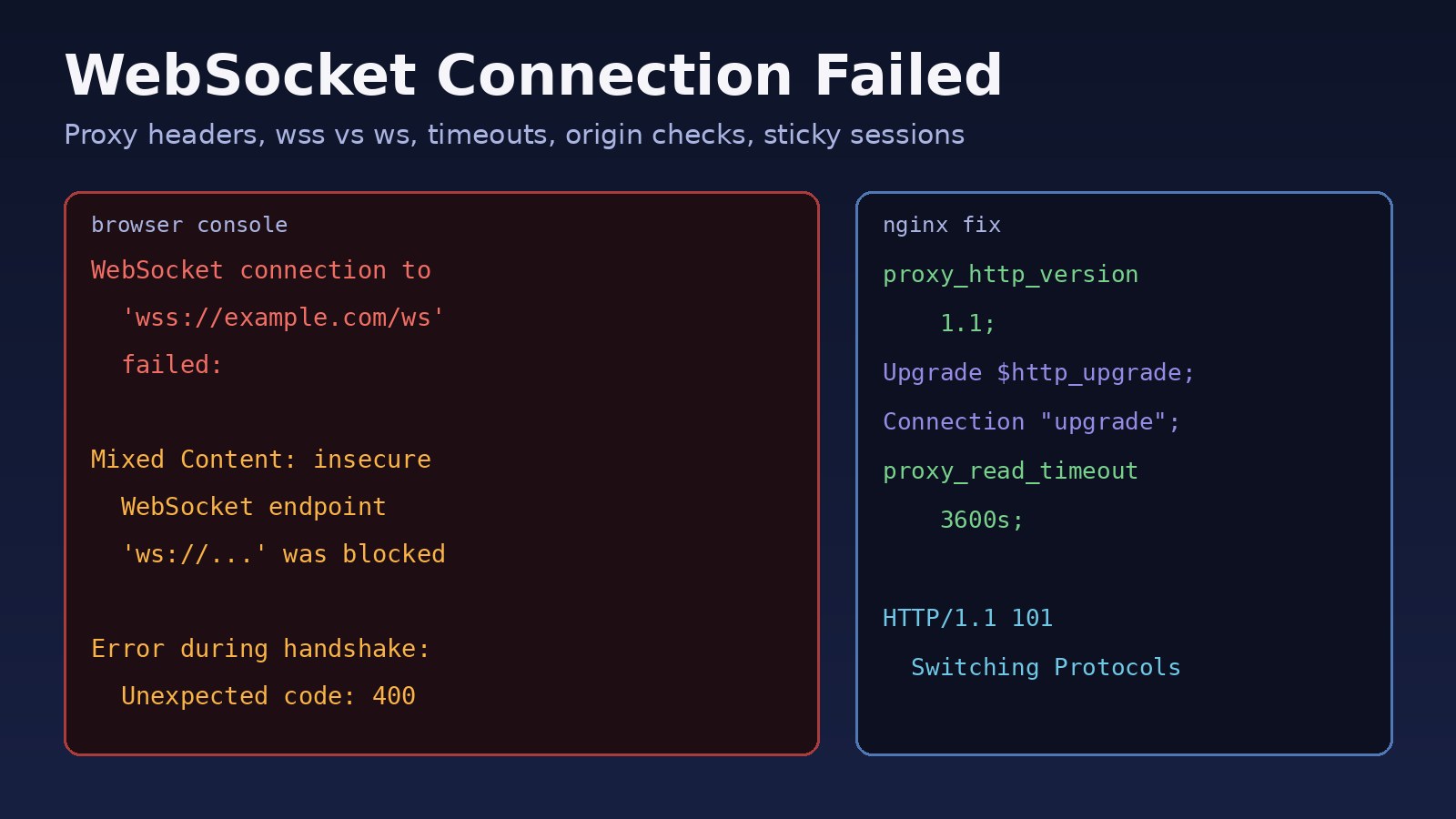
Your browser console shows WebSocket connection to 'wss://example.com/ws' failed, Laravel Echo keeps reconnecting, or Socket.IO falls back to polling and never upgrades. A websocket connection failed error means the browser could not complete the WebSocket handshake, or the connection was opened and then dropped. In most production setups the cause sits between the browser and your app: a reverse proxy that doesn't forward the Upgrade header, a ws:// URL on an HTTPS page, an origin check, a proxy timeout, or a load balancer without sticky sessions. This guide walks through each cause and how to fix it for Nginx, Laravel Reverb, Socket.IO, Next.js and Docker setups.
Problem: WebSocket Connection Failed
A WebSocket starts life as a normal HTTP/1.1 request. The client sends Upgrade: websocket and Connection: Upgrade headers plus a Sec-WebSocket-Key. If the server agrees, it replies with HTTP/1.1 101 Switching Protocols and the same TCP connection is then used for two-way messages.
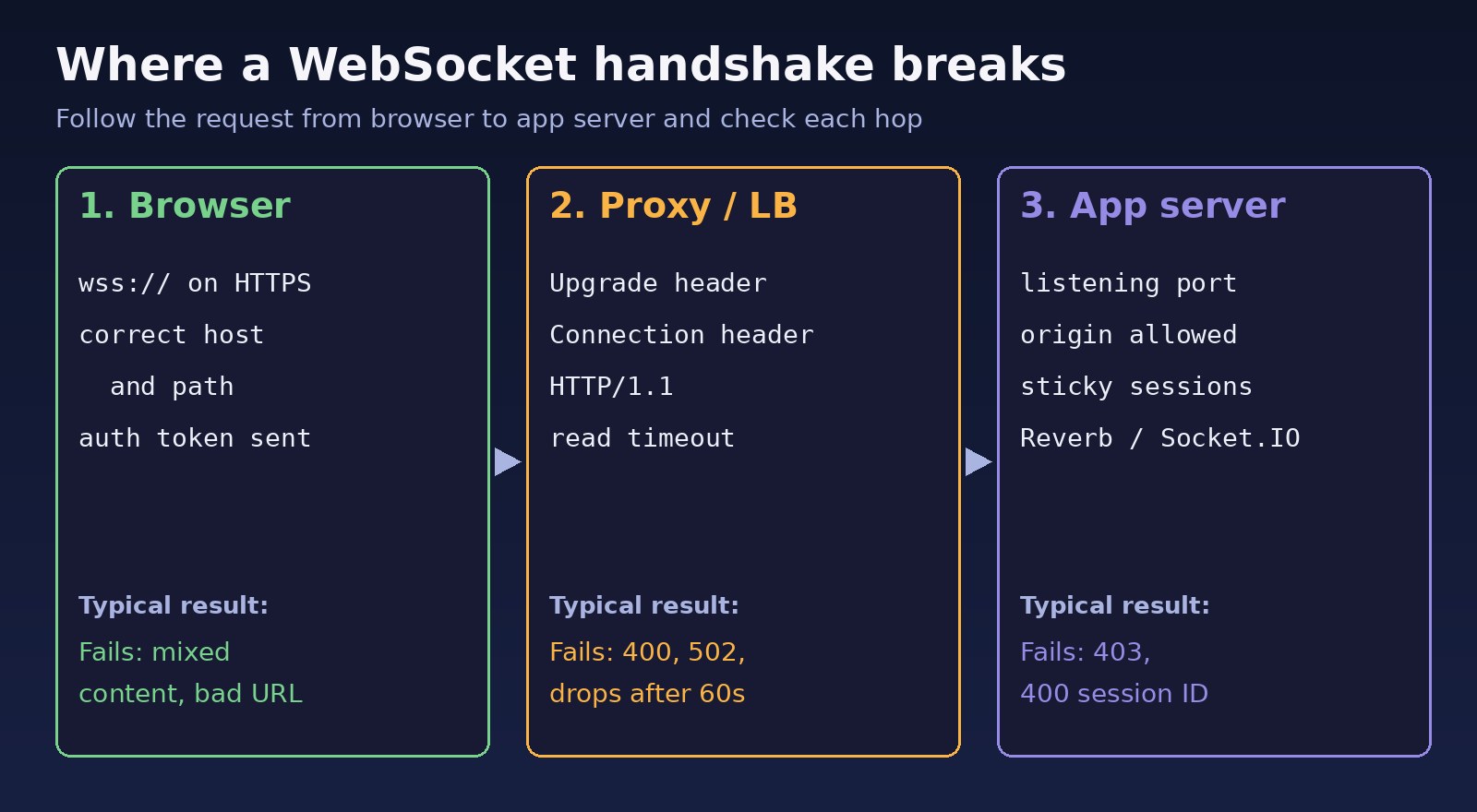
Every hop in between has to understand that handshake. The browser must be allowed to open the URL, DNS and TLS must work, the proxy or load balancer must pass the upgrade headers through, and the app server must be listening and accept the origin. If any hop answers with a normal 200, 400, 403, 404 or 502 instead of 101, the browser reports the connection as failed. Browsers deliberately hide most details, so the console message alone rarely tells you which hop broke.
Symptoms of a WebSocket Error
These are the messages you'll typically see, depending on browser and library:
# Chrome / Edge console
WebSocket connection to 'wss://example.com/app/abc123?protocol=7' failed:
WebSocket connection to 'ws://localhost:6001/socket.io/?EIO=4&transport=websocket' failed:
  Error during WebSocket handshake: Unexpected response code: 400

# Mixed content on an HTTPS page
Mixed Content: The page at 'https://example.com/' was loaded over HTTPS, but attempted
to connect to the insecure WebSocket endpoint 'ws://example.com:8080/'.
This request has been blocked; this endpoint must be available over WSS.


# Close events in your own code
close code 1006 (abnormal closure, no close frame received)
Other signs that usually come with it:
- Everything works on
localhostbut fails after deploying behind Nginx, a load balancer or Cloudflare. - The connection opens and then drops after about 60 seconds of silence.
- Socket.IO works with HTTP long-polling but never upgrades to WebSocket, or returns
400 {"code":1,"message":"Session ID unknown"}when you run more than one instance.
Root Cause: Why the WebSocket Handshake Fails
Missing Upgrade and Connection headers in the reverse proxy
Nginx does not forward hop-by-hop headers such as Upgrade and Connection by default, and it talks HTTP/1.0 to upstreams unless told otherwise. The backend then sees a plain HTTP request and answers 400 or 426 Upgrade Required.
ws:// on an HTTPS page (mixed content)
Browsers block insecure ws:// connections from pages loaded over https://. You must use wss://, usually terminated by the same Nginx or load balancer that serves your site.
Wrong host, port or path
The client points at a port that isn't exposed (for example 6001 or 8080 blocked by a firewall), a path the proxy doesn't route, or an environment variable that was baked into a frontend build with the wrong value.
Proxy and load balancer idle timeouts
Nginx's proxy_read_timeout defaults to 60 seconds. If no data flows for that long, Nginx closes the connection. Cloud load balancers have their own idle timeout settings that behave the same way.
Origin checks and authentication
WebSockets are not covered by CORS in the same way as fetch, but servers usually check the Origin header themselves. Laravel Reverb uses allowed_origins, Socket.IO uses its cors option, and a rejected origin or failed private-channel auth shows up as a failed or immediately closed connection.
Multiple instances without sticky sessions
Socket.IO's handshake starts with HTTP polling requests. If those requests land on different instances, the session ID is unknown on the second one and the upgrade fails.
Step-by-Step Solution for WebSocket Connection Failed
Step 1: Read the handshake in the Network tab
Open DevTools, go to Network, filter by WS, and reload. Click the request and check the status code and response headers. A 101 means the handshake worked and the problem is later (timeouts, server closing it). Anything else tells you which hop answered. A 502 means the proxy couldn't reach the backend; see 502 Bad Gateway in Nginx for that side of the problem.
Step 2: Test the endpoint outside the browser
# Manual handshake with curl: look for "HTTP/1.1 101 Switching Protocols"
curl -i -N --http1.1 \
  -H "Connection: Upgrade" -H "Upgrade: websocket" \
  -H "Sec-WebSocket-Version: 13" \
  -H "Sec-WebSocket-Key: SGVsbG8sIHdvcmxkIQ==" \
  -H "Origin: https://example.com" \
  https://example.com/ws

# Interactive client
npx wscat -c wss://example.com/ws

# Is the WebSocket server listening on the backend host?
sudo ss -ltnp | grep -E ':(6001|8080|3001)'
Run the same test against the backend port directly (for example http://127.0.0.1:8080 on the server). If the direct test returns 101 but the public URL doesn't, the proxy is the problem.
Step 3: Fix Nginx Upgrade, Connection and timeout settings
# http {} block
map $http_upgrade $connection_upgrade {
    default upgrade;
    ''      close;
}

# server {} block
location /ws/ {
    proxy_pass http://127.0.0.1:8080;
    proxy_http_version 1.1;
    proxy_set_header Upgrade $http_upgrade;
    proxy_set_header Connection $connection_upgrade;
    proxy_set_header Host $host;
    proxy_set_header X-Forwarded-For $proxy_add_x_forwarded_for;
    proxy_set_header X-Forwarded-Proto $scheme;
    proxy_read_timeout 3600s;
    proxy_send_timeout 3600s;
}sudo nginx -t && sudo systemctl reload nginxThe map block lets normal HTTP requests through the same location without forcing an upgrade.
Step 4: Use wss:// on HTTPS pages
Never hard-code the scheme. Build the URL from the current page so it switches automatically:
const proto = window.location.protocol === 'https:' ? 'wss' : 'ws';
const socket = new WebSocket(`${proto}://${window.location.host}/ws/`);
socket.addEventListener('close', (e) => console.log('closed', e.code, e.reason));
Step 5: Fix Laravel Reverb and Echo configuration
Reverb runs its own server (default port 8080) and Echo connects with the Pusher protocol. Keep the server bind address separate from the public host the browser uses:
# .env
BROADCAST_CONNECTION=reverb
REVERB_APP_ID=my-app-id
REVERB_APP_KEY=my-app-key
REVERB_APP_SECRET=my-app-secret
REVERB_SERVER_HOST=0.0.0.0     # where the Reverb server listens
REVERB_SERVER_PORT=8080
REVERB_HOST=example.com        # what the browser connects to
REVERB_PORT=443
REVERB_SCHEME=https

VITE_REVERB_APP_KEY="${REVERB_APP_KEY}"
VITE_REVERB_HOST="${REVERB_HOST}"
VITE_REVERB_PORT="${REVERB_PORT}"
VITE_REVERB_SCHEME="${REVERB_SCHEME}"

php artisan config:clear
php artisan reverb:start --debug
npm run build # VITE_ values are compiled into the bundle// resources/js/echo.js
import Echo from 'laravel-echo';
import Pusher from 'pusher-js';
window.Pusher = Pusher;
window.Echo = new Echo({
broadcaster: 'reverb',
key: import.meta.env.VITE_REVERB_APP_KEY,
wsHost: import.meta.env.VITE_REVERB_HOST,
wsPort: import.meta.env.VITE_REVERB_PORT ?? 80,
wssPort: import.meta.env.VITE_REVERB_PORT ?? 443,
forceTLS: (import.meta.env.VITE_REVERB_SCHEME ?? 'https') === 'https',
enabledTransports: ['ws', 'wss'],
});Check allowed_origins in config/reverb.php includes your frontend domain. If private channels fail, look at the /broadcasting/auth request: a 403 there is an authorization problem, and a cross-domain SPA also needs correct CORS and Sanctum settings (see CORS errors in React and Laravel). Changing VITE_ values without rebuilding is a common reason the browser still connects to the old host.
Step 6: Fix Socket.IO origin and sticky sessions
// server.js
const { Server } = require('socket.io');
const io = new Server(httpServer, {
  cors: { origin: ['https://example.com'], credentials: true },
});

// client: skip polling only if every instance can handle the upgrade directly
const socket = io('https://example.com', { transports: ['websocket'] });
socket.on('connect_error', (err) => console.error('connect_error:', err.message));
With several Node.js instances behind Nginx, enable sticky sessions (for example ip_hash; in the upstream block or cookie-based stickiness on your load balancer) and use the Redis adapter (@socket.io/redis-adapter) so events reach clients on every instance. If the adapter can't reach Redis, see how to fix Redis connection refused errors.
Step 7: Next.js and Docker specifics
Next.js route handlers don't hold long-lived WebSocket connections on serverless platforms, so run the socket server as a separate process or service and point the client to it with a NEXT_PUBLIC_ variable (compiled at build time, so rebuild after changing it). In development, an error for /_next/webpack-hmr is the hot-reload socket, not your app's socket; it usually means your dev proxy isn't forwarding upgrades. In Docker, the WebSocket server must listen on 0.0.0.0, not 127.0.0.1, and the port must be published or reachable by the Nginx container on the same network.
Code/Commands Examples
A quick checklist you can run on the server when a WebSocket error shows up:
sudo nginx -T | grep -nE 'upgrade|proxy_http_version|proxy_read_timeout'
sudo ss -ltnp | grep 8080
sudo tail -f /var/log/nginx/error.log
docker compose logs -f reverb
php artisan reverb:start --debug
Verification
- The Network tab shows the WS request with
101 Switching Protocolsand frames flowing in the Messages panel. npx wscat -c wss://example.com/wsconnects and stays open longer than your old timeout.- Broadcast a test event (for example from
php artisan tinker) and confirm it arrives in a second browser tab. - With multiple instances, reload many times and confirm there are no
Session ID unknownerrors.
Prevention
- Keep a tested Nginx WebSocket location block in your server templates so every new site gets the upgrade headers and timeouts.
- Build socket URLs from the page protocol or from environment variables, and rebuild the frontend when
VITE_orNEXT_PUBLIC_values change. - Run the WebSocket server under a process manager (Supervisor, systemd or a Docker restart policy) so it comes back after crashes and deploys.
- Enable heartbeats and client reconnects, and handle the
closeevent so users see a reconnecting state instead of a silent failure. - Plan for scale early: sticky sessions plus a Redis adapter or Reverb's Redis scaling option before adding a second instance.
FAQs
What does websocket connection failed mean?
The browser couldn't finish the HTTP upgrade handshake, or the connection closed before it was established. Some hop returned something other than 101 Switching Protocols, or the server was unreachable.
Why does my WebSocket work locally but fail in production?
Production adds HTTPS and a reverse proxy. Use wss://, and make sure Nginx sets proxy_http_version 1.1 and forwards the Upgrade and Connection headers.
How do I fix WebSocket error 1006?
Close code 1006 means the connection dropped without a close frame. Check proxy timeouts, server crashes in the logs, and network devices that cut idle connections, then make sure heartbeats are enabled.
Why does the WebSocket disconnect after 60 seconds?
Nginx's default proxy_read_timeout is 60 seconds. Increase it for the WebSocket location and check your load balancer's idle timeout.
What is the best WebSocket troubleshooting tool?
Start with the browser's Network tab filtered by WS, then use curl with upgrade headers or wscat to test the public URL and the backend port separately.
Do WebSockets need CORS?
Not in the browser's CORS sense, but servers check the Origin header. Add your frontend domain to Reverb's allowed_origins or Socket.IO's cors.origin.



Comments
Join the discussion. Replies load on demand, up to 5 levels.
0 threads
No comments yet
Be the first to start the conversation.