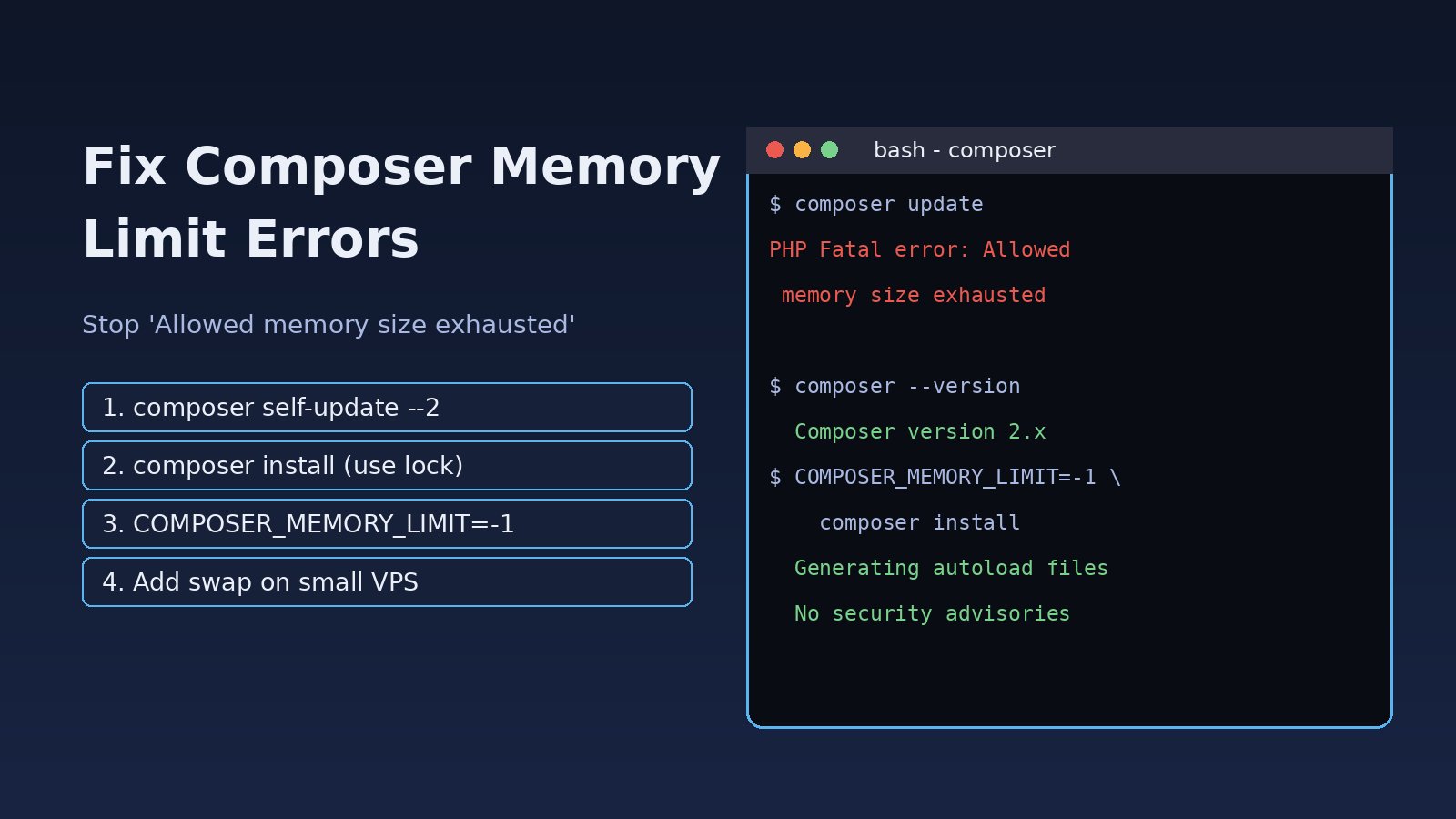
You run composer install or composer update on a small VPS, inside Docker or in a CI job, and it dies with Allowed memory size of ... bytes exhausted, or the terminal just prints Killed. A composer memory limit error means PHP or the operating system stopped Composer before it finished resolving or installing your dependencies. The good news: it is almost always fixable without buying a bigger server. This guide explains why Composer runs out of memory, how to fix it step by step on Linux, Docker and CI, and how to stop it from coming back in your Laravel or PHP projects.
Problem: What the Composer Memory Limit Error Means
Composer is a PHP program, so it is bound by PHP's memory_limit setting for the CLI. When Composer starts, it raises a low memory_limit to 1.5 GB on its own (unless you tell it otherwise with COMPOSER_MEMORY_LIMIT). Most of the memory goes to the dependency resolver: on composer update it loads package metadata and works through version constraints for every package in the tree. On a 1 GB server with no swap, or in a container with a hard memory cap, that work can hit either PHP's limit or the machine's real RAM limit.
Those are two different failures. PHP's limit gives a clean fatal error. Running out of real RAM gives you Killed, mmap() failed or proc_open(): fork failed, because the Linux kernel or PHP could not get more memory from the system.
Symptoms of PHP Composer Out of Memory
These are the messages you will usually see:
PHP Fatal error:  Allowed memory size of 1610612736 bytes exhausted (tried to allocate 4096 bytes)
in phar:///usr/local/bin/composer/src/Composer/DependencyResolver/Solver.php on line 223

Fatal error: Allowed memory size of 536870912 bytes exhausted (tried to allocate 67108872 bytes)

mmap() failed: [12] Cannot allocate memory

The following exception is caused by a lack of memory or swap, or not having swap configured
[ErrorException]
proc_open(): fork failed - Cannot allocate memory

Killed
Other signs that point to the same problem:
- The composer install failed only on the server or in CI, while it works on your laptop.
- The run hangs at
Updating dependenciesfor a long time, then stops. dmesgshowsOut of memory: Killed process ... (php).- A Docker build fails at the
RUN composer installstep with exit code 137.
Root Cause: Why Composer Install Failed With a Memory Error
1. Running composer update on the server
composer update has to solve the whole dependency graph from scratch. composer install with a committed composer.lock skips that work and just downloads the exact versions listed in the lock file. Running update on a small production server is the most common cause of this error.
2. Old Composer 1.x
Composer 2 rewrote large parts of the resolver and uses far less memory and time than Composer 1. If composer --version still shows 1.x, upgrading alone often fixes the error.
3. Low CLI memory_limit or a forced limit
Some servers set memory_limit in the CLI php.ini, or a script runs php -d memory_limit=512M composer.phar. If COMPOSER_MEMORY_LIMIT is set to a small value, Composer will respect it and fail sooner.
4. Not enough RAM or no swap
Cheap VPS plans and CI runners often have 1 GB of RAM or less and no swap. Even with an unlimited PHP limit, the kernel's OOM killer stops the process. This is the same pattern covered in our guide to troubleshooting a Linux server running out of memory.
5. Container memory limits
Docker, Kubernetes and CI services cap memory per container. Composer only sees the host's RAM, so it can try to use more than the container allows.
6. Very wide version constraints
Constraints like "*" or ">=1.0" give the resolver many more versions to consider, which costs memory on every update.
Step-by-Step Solution to Fix the Composer Memory Limit Error
Step 1: Check Composer and PHP versions
composer --version
php -v
php --ini
php -r "echo ini_get('memory_limit'), PHP_EOL;"
composer diagnose
php --ini shows which php.ini the CLI loads. It is often a different file from the one PHP-FPM uses, so changing the web server's config does not help Composer.
Step 2: Upgrade to Composer 2
composer self-update --2
composer --version   # should print Composer version 2.x
If Composer was installed by the OS package manager (for example apt install composer), self-update may be disabled. Install the official phar from getcomposer.org into /usr/local/bin/composer instead, and check which binary runs with which composer.
Step 3: Use composer install, not update, on servers
Run composer update on your development machine or in CI, commit composer.lock, and only run install on staging and production:
# on the server or in the deploy script
composer install --no-dev --optimize-autoloader --no-interaction --prefer-dist
If you only need to update one package, limit the update so the resolver does less work:
composer update vendor/package --with-dependenciesStep 4: Raise the limit for one run
Composer reads the COMPOSER_MEMORY_LIMIT environment variable. -1 means no PHP limit:
COMPOSER_MEMORY_LIMIT=-1 composer install

# or call PHP directly with a limit
php -d memory_limit=-1 /usr/local/bin/composer update

# a fixed value is safer on shared servers
COMPOSER_MEMORY_LIMIT=2G composer update
Removing the PHP limit does not create RAM. If the machine itself is short on memory, you will now get Killed instead of the PHP fatal error, which brings us to swap.
Step 5: Add swap on a small VPS
Composer's own troubleshooting docs recommend swap for the proc_open(): fork failed error. On Ubuntu:
free -h
swapon --show

sudo fallocate -l 2G /swapfile     # or: sudo dd if=/dev/zero of=/swapfile bs=1M count=2048
sudo chmod 600 /swapfile
sudo mkswap /swapfile
sudo swapon /swapfile
echo '/swapfile none swap sw 0 0' | sudo tee -a /etc/fstab

free -h   # Swap line should now show 2.0Gi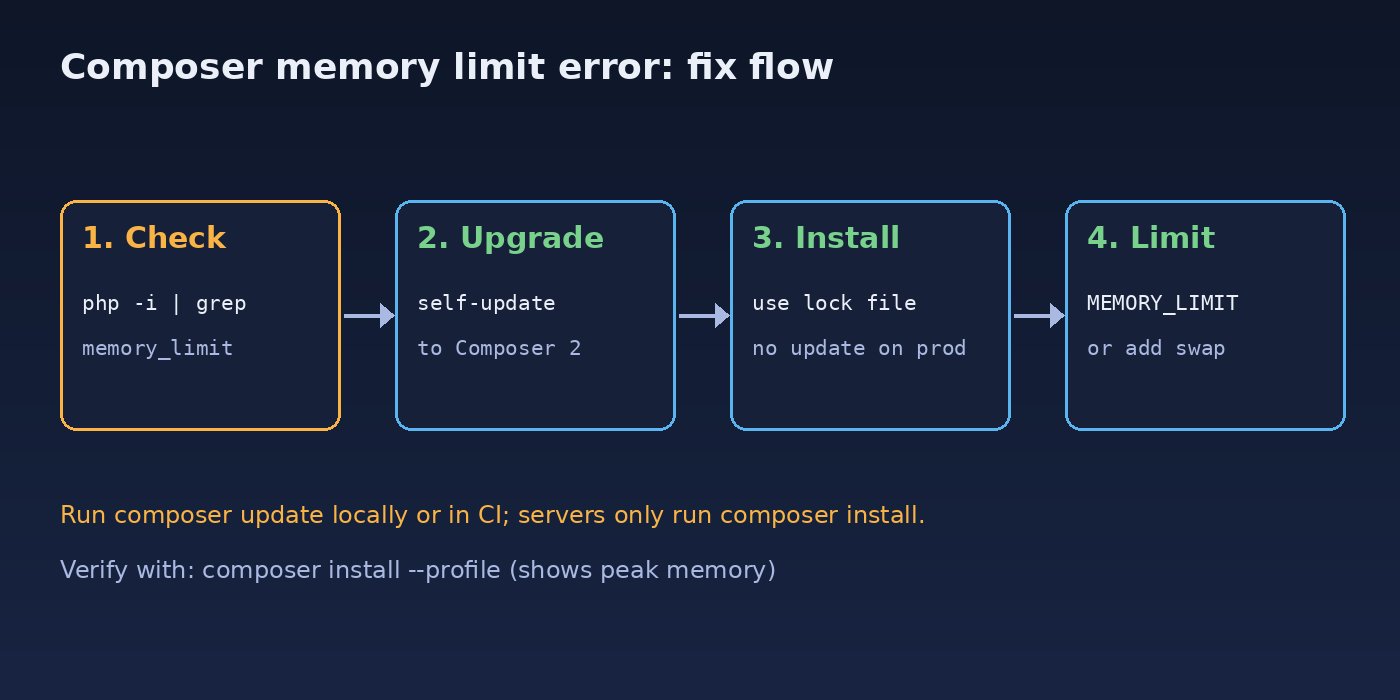
Step 6: Give Docker and CI enough memory
In Docker, copy only composer.json and composer.lock first and install from the lock file, so the step is cached and never resolves from scratch:
FROM composer:2 AS vendor
WORKDIR /app
COPY composer.json composer.lock ./
RUN composer install --no-dev --no-scripts --no-autoloader --prefer-dist --no-interaction
COPY . .
RUN composer dump-autoload --optimize --no-dev
Check the container's memory while it runs with docker stats. If you start the container yourself, give it more room with docker run --memory=2g .... In GitHub Actions or GitLab CI, use the lock file and set COMPOSER_MEMORY_LIMIT=-1 in the job environment.
Step 7: Clean up and tighten constraints
composer clear-cache
composer outdated --direct
composer why-not vendor/package 2.0
Replace "*" and very open ranges in composer.json with caret constraints such as "^10.0". Remove packages you no longer use. If the error is really Your requirements could not be resolved to an installable set of packages, it is a version conflict, not memory; read the problem list Composer prints, much like an npm ERESOLVE dependency conflict.
Code and Commands: Quick Reference
# What limit does the CLI use?
php -r "echo ini_get('memory_limit'), PHP_EOL;"

# Upgrade Composer
composer self-update --2

# Production install from lock file
composer install --no-dev --optimize-autoloader --no-interaction

# One-off run without a PHP memory cap
COMPOSER_MEMORY_LIMIT=-1 composer update

# Update one package only
composer update laravel/framework --with-dependencies

# Did the kernel kill PHP?
sudo dmesg -T | grep -i -E "out of memory|killed process"
For a permanent CLI setting, edit the CLI php.ini shown by php --ini (for example /etc/php/8.3/cli/php.ini) and set memory_limit = 2G. Leave the PHP-FPM limit alone; web requests should not need that much.
Verification
Composer's --profile flag prints time and memory used, so you can see how close you are to the limit:
composer install --profile --no-interaction
# ...
# Memory usage: 48.2MiB (peak: 112.6MiB), time: 9.4s
Then confirm the project works:
composer validatereports the lock file is valid and up to date.composer check-platform-reqspasses for the server's PHP version.- For Laravel,
php artisan aboutruns without errors. If you see class errors after a partial install, runcomposer dump-autoload, as explained in how to fix the Laravel class not found error. dmesgshows no new OOM kills forphp.
Prevention
- Always commit
composer.lockand run onlycomposer installon servers. - Keep Composer on the latest 2.x release with
composer self-update. - Build the
vendorfolder in CI or a Docker build stage and ship it as an artifact, so small production servers never resolve dependencies. - Give small VPS machines 1–2 GB of swap.
- Use caret constraints and remove unused packages.
- Set
COMPOSER_MEMORY_LIMITin CI job variables instead of editingphp.inion every runner. - Watch long-running PHP limits too; timeouts look similar but need a different fix, covered in PHP maximum execution time exceeded.
FAQs
How do I fix the composer memory limit error quickly?
Upgrade to Composer 2 with composer self-update --2, then run COMPOSER_MEMORY_LIMIT=-1 composer install. If you still get Killed, add swap or more RAM.
Why is PHP Composer out of memory only on the server?
Your laptop usually has more RAM and swap, and you may be running update there but also on the server. Servers should run composer install from the lock file, which needs much less memory.
Is COMPOSER_MEMORY_LIMIT=-1 safe?
It is fine for a single run. It removes PHP's cap, so on a busy shared server Composer could take memory from other processes. A fixed value like 2G is safer there.
Why did composer install fail with "Killed" and no error message?
The Linux OOM killer ended the PHP process because the machine or container ran out of RAM. Check dmesg, add swap, raise the container's memory limit, or install from the lock file.
Does changing php.ini for PHP-FPM fix Composer?
No. Composer uses the CLI configuration. Run php --ini to find the CLI php.ini, or use the environment variable instead.
What causes "proc_open(): fork failed - Cannot allocate memory"?
The system could not allocate memory to start a child process, usually because there is no swap. Adding a swap file is the standard fix.



Comments
Join the discussion. Replies load on demand, up to 5 levels.
0 threads
No comments yet
Be the first to start the conversation.