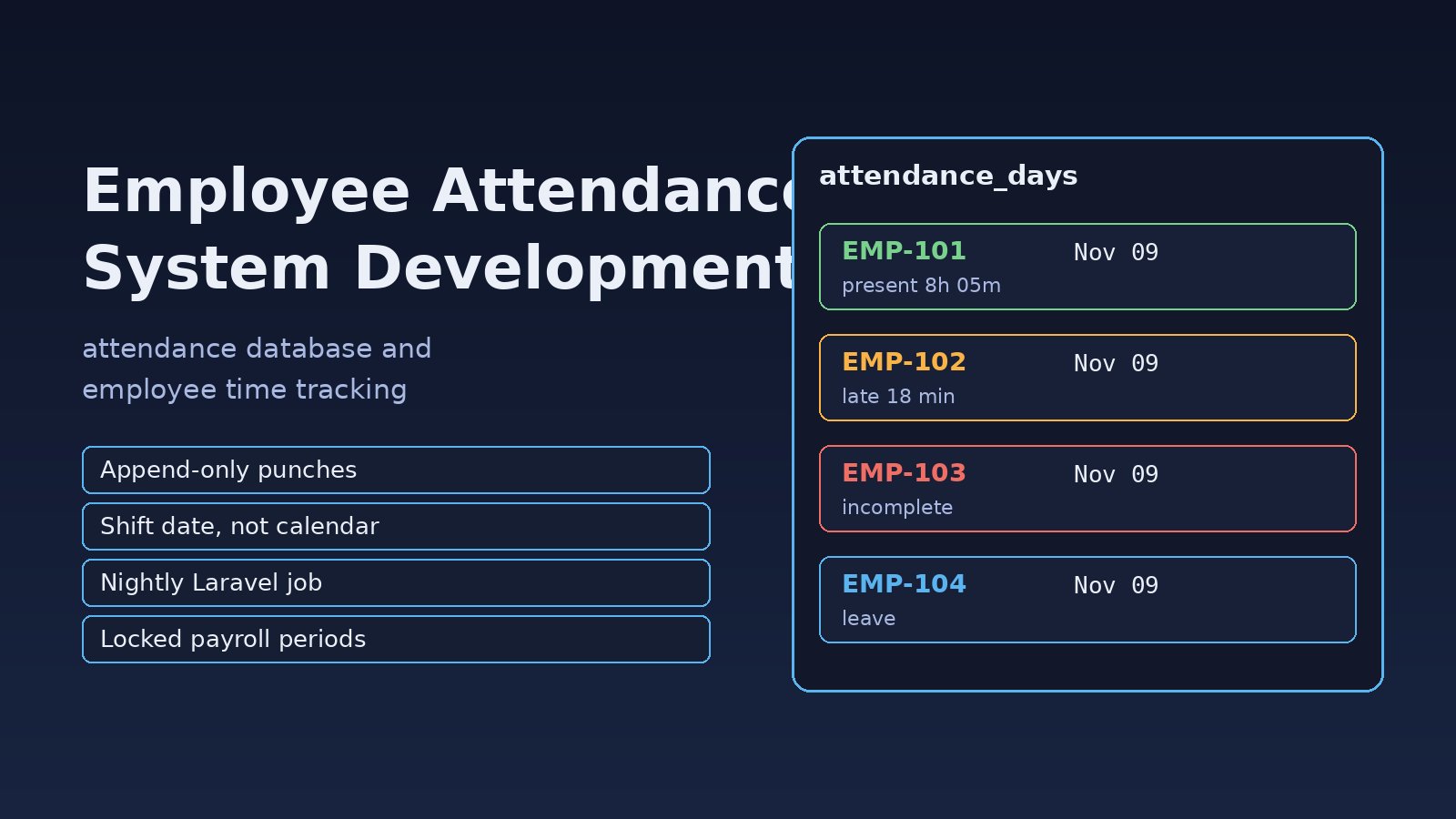
Spreadsheets, paper registers and a biometric device that nobody reads until payroll day are how many companies still track attendance, and every month HR spends days fixing missing punches, double entries and night shifts that land on the wrong date. Employee attendance system development is mostly about solving those data problems: a clean attendance database, reliable punch ingestion, shift-aware calculations and an automated daily process that turns raw punches into attendance records payroll can trust. This guide walks through the problem, symptoms, root cause and a step-by-step build using Laravel and PostgreSQL, the same stack many ERP systems run on.
Problem: Manual Attendance Does Not Scale
An attendance system looks simple: an employee checks in, checks out, and you count the hours. In practice you have several devices or apps sending punches, employees in different shifts, overnight shifts that cross midnight, leave and public holidays, and late arrival rules that differ by department. When this logic lives in Excel formulas or in a controller that runs once a month, errors pile up and nobody can explain why a salary is wrong.
The goal of an automated attendance system is that raw punches are stored as they arrive, a scheduled job calculates each employee's day the same way every time, and HR only reviews the exceptions.
Symptoms of a Broken Attendance Process
- The same check-in appears two or three times because the device resent its buffer after a network drop.
- Night shift employees show a check-out with no check-in on one day and a check-in with no check-out on the next.
- Working hours are off by exactly five hours (or your UTC offset) because times were saved without a time zone.
- HR edits attendance directly in the database or the spreadsheet, and there is no record of who changed what.
- Month-end payroll export takes hours and times out with errors like
Maximum execution time of 30 seconds exceeded. - Employees on approved leave are still marked absent because leave and attendance live in separate tools.
Root Cause: Raw Events and Business Rules Are Mixed Together
Most broken attendance systems share the same design mistakes:
- Only one table. Raw punches are overwritten into a single
attendancerow, so the original evidence is lost and recalculation is impossible. - No idempotent ingestion. Devices and mobile apps retry, and every retry becomes a new punch.
- Calendar date instead of shift date. A punch at 02:00 belongs to the previous day's night shift, but the code groups by
DATE(punched_at). - Local time stored without a zone. Server, database and device clocks disagree, and daylight-saving or multi-branch setups make it worse.
- Calculation on demand. Hours are computed inside reports, so every report recalculates months of data and results drift when rules change.
Step-by-Step Employee Attendance System Development
Step 1: Design the Attendance Database
Split the attendance database into raw events, rules and results. Raw punches are append-only. Shifts and assignments describe what was expected. Daily attendance records hold the calculated result for one employee on one shift date.
CREATE TABLE shifts (
    id              bigserial PRIMARY KEY,
    name            text NOT NULL,
    start_time      time NOT NULL,          -- e.g. 22:00
    end_time        time NOT NULL,          -- e.g. 06:00 (next day)
    grace_minutes   int  NOT NULL DEFAULT 10,
    crosses_midnight boolean GENERATED ALWAYS AS (end_time <= start_time) STORED
);

CREATE TABLE employee_shifts (
    employee_id  bigint NOT NULL REFERENCES employees(id),
    shift_id     bigint NOT NULL REFERENCES shifts(id),
    valid_from   date   NOT NULL,
    valid_to     date,
    PRIMARY KEY (employee_id, valid_from)
);

CREATE TABLE attendance_punches (
    id           bigserial PRIMARY KEY,
    employee_id  bigint      NOT NULL REFERENCES employees(id),
    punched_at   timestamptz NOT NULL,
    source       text        NOT NULL,    -- device, mobile, web, manual
    device_id    text,
    external_id  text,                    -- id sent by the device or app
    created_at   timestamptz NOT NULL DEFAULT now(),
    UNIQUE (source, device_id, external_id)
);
CREATE INDEX ON attendance_punches (employee_id, punched_at);

CREATE TABLE attendance_days (
    employee_id   bigint NOT NULL REFERENCES employees(id),
    work_date     date   NOT NULL,        -- the shift date, not the calendar date
    first_in      timestamptz,
    last_out      timestamptz,
    worked_minutes int NOT NULL DEFAULT 0,
    late_minutes   int NOT NULL DEFAULT 0,
    status        text NOT NULL,          -- present, absent, leave, holiday, incomplete
    locked        boolean NOT NULL DEFAULT false,
    PRIMARY KEY (employee_id, work_date)
);
Use timestamptz for every punch. PostgreSQL stores it as UTC and converts it to the session time zone when you read it, which removes the five-hour drift problem.
Step 2: Ingest Punches Idempotently
Devices, mobile apps and web check-ins should all post to one endpoint. The unique key on (source, device_id, external_id) makes retries harmless, the same idea used to prevent duplicate transactions in ERP systems.
// app/Http/Controllers/Api/PunchController.php
public function store(Request $request)
{
    $data = $request->validate([
        'employee_id' => ['required', 'integer', 'exists:employees,id'],
        'punched_at'  => ['required', 'date'],          // ISO 8601 with offset
        'source'      => ['required', 'in:device,mobile,web'],
        'device_id'   => ['nullable', 'string', 'max:64'],
        'external_id' => ['required', 'string', 'max:64'],
    ]);

    $data['punched_at'] = Carbon::parse($data['punched_at'])->utc();

    // Insert or ignore: a resent punch does not create a second row
    $created = AttendancePunch::insertOrIgnore($data);

    return response()->json(['stored' => (bool) $created], $created ? 201 : 200);
}
Ask device vendors or your mobile team to send the timestamp with its offset, for example 2026-11-10T09:02:14+05:00. If a device can only send local time, convert it on the server with the branch time zone, never the server default.
Step 3: Map Each Punch to a Shift Date
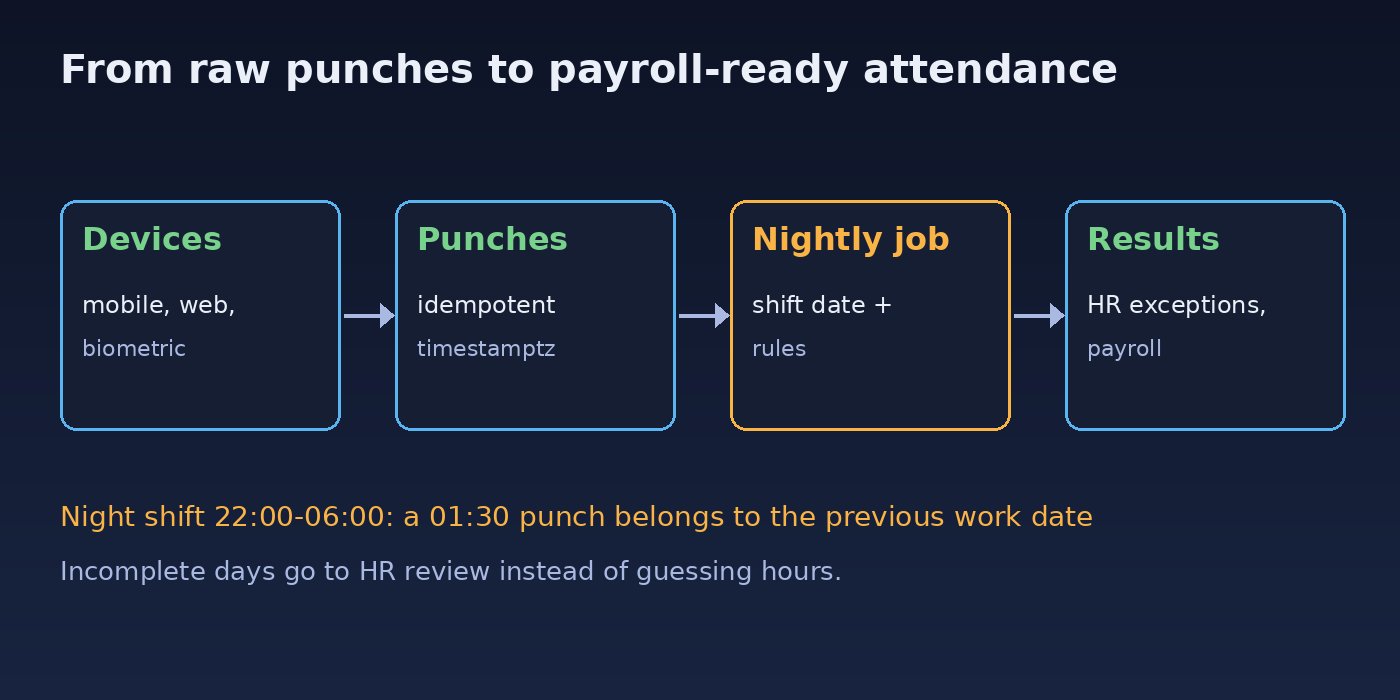
This is where most employee time tracking bugs come from. For a night shift from 22:00 to 06:00, a punch at 01:30 on the 11th belongs to the work date of the 10th. Build a window for each shift instance, for example from two hours before the start to four hours after the end, and assign punches that fall inside it.
-- Punches for one employee and one shift instance (night shift on 2026-11-10, Asia/Karachi)
SELECT punched_at
FROM attendance_punches
WHERE employee_id = 42
  AND punched_at >= (timestamp '2026-11-10 22:00' - interval '2 hours') AT TIME ZONE 'Asia/Karachi'
  AND punched_at <  (timestamp '2026-11-11 06:00' + interval '4 hours') AT TIME ZONE 'Asia/Karachi'
ORDER BY punched_at;
Step 4: Calculate Daily Attendance Records
Put the rules in one service class so every report, payroll export and recalculation uses the same logic. Keep it pure: punches and shift in, result out.
// app/Services/Attendance/DayCalculator.php
public function calculate(Employee $employee, CarbonImmutable $workDate): array
{
    $shift  = $employee->shiftOn($workDate);
    $start  = $workDate->setTimeFromTimeString($shift->start_time)->shiftTimezone($employee->timezone);
    $end    = $workDate->setTimeFromTimeString($shift->end_time)->shiftTimezone($employee->timezone);
    if ($shift->crosses_midnight) {
        $end = $end->addDay();
    }

    $punches = $employee->punches()
        ->whereBetween('punched_at', [$start->subHours(2)->utc(), $end->addHours(4)->utc()])
        ->orderBy('punched_at')
        ->pluck('punched_at');

    if ($employee->onApprovedLeave($workDate)) {
        return ['status' => 'leave', 'worked_minutes' => 0, 'late_minutes' => 0];
    }
    if ($punches->isEmpty()) {
        return ['status' => 'absent', 'worked_minutes' => 0, 'late_minutes' => 0];
    }

    $in  = $punches->first();
    $out = $punches->count() > 1 ? $punches->last() : null;
    $late = max(0, $start->diffInMinutes($in, false) - $shift->grace_minutes);

    return [
        'first_in'       => $in,
        'last_out'       => $out,
        'worked_minutes' => $out ? $in->diffInMinutes($out) : 0,
        'late_minutes'   => (int) $late,
        'status'         => $out ? 'present' : 'incomplete',
    ];
}
An incomplete status is better than guessing a check-out time. It goes to the HR exception list instead of silently paying eight hours.
Step 5: Automate It with the Laravel Scheduler and Queues
Run the calculation every night for the previous work date, and again for a few days back so late device uploads are picked up. Dispatch one job per employee so a large company does not hit the execution time limit.
// routes/console.php (Laravel 11+)
Schedule::command('attendance:process --days=3')
    ->dailyAt('03:00')
    ->timezone('Asia/Karachi')
    ->withoutOverlapping()
    ->onOneServer();

// app/Console/Commands/ProcessAttendance.php
public function handle(): void
{
    $days = (int) $this->option('days');
    Employee::active()->select('id')->chunkById(500, function ($employees) use ($days) {
        foreach ($employees as $employee) {
            foreach (range(1, $days) as $i) {
                ProcessAttendanceDay::dispatch($employee->id, today()->subDays($i)->toDateString());
            }
        }
    });
}

// app/Jobs/ProcessAttendanceDay.php (handle method)
$result = $calculator->calculate($employee, CarbonImmutable::parse($this->workDate));
AttendanceDay::where('employee_id', $employee->id)
    ->where('work_date', $this->workDate)
    ->where('locked', true)
    ->exists() || AttendanceDay::updateOrCreate(
        ['employee_id' => $employee->id, 'work_date' => $this->workDate],
        $result
    );
Make sure the server cron actually runs php artisan schedule:run every minute and a queue worker is running. If nothing happens, follow the checks in Laravel scheduler not working.
Step 6: Handle Corrections and Lock Payroll Periods
HR will always need to fix a forgotten check-out. Instead of editing attendance_days, add a manual punch with source = 'manual', a reason and the approver, then recalculate that day. Record every change in your audit log database design, and set locked = true for all days once a payroll period is closed so a late recalculation cannot change paid salaries.
Commands to Inspect and Fix Attendance Data
Find duplicate punches that slipped in before the unique key existed:
SELECT employee_id, punched_at, COUNT(*)
FROM attendance_punches
GROUP BY employee_id, punched_at
HAVING COUNT(*) > 1;
List the HR exception queue for yesterday:
SELECT e.code, e.name, d.status, d.first_in AT TIME ZONE 'Asia/Karachi' AS first_in_local
FROM attendance_days d
JOIN employees e ON e.id = d.employee_id
WHERE d.work_date = CURRENT_DATE - 1
  AND d.status IN ('incomplete', 'absent')
ORDER BY e.code;
Reprocess one employee or one date range after fixing a shift assignment:
php artisan attendance:process --days=7
php artisan queue:work --queue=default --stop-when-empty
Verification: Test the Hard Cases
- Post the same punch twice with the same
external_idand confirm only one row exists inattendance_punches. - Create a night shift (22:00 to 06:00), add punches at 21:55 and 06:05 the next morning, and confirm one
attendance_daysrow for the first date with about 490 worked minutes. - Add a check-in with no check-out and confirm the day is
incomplete, not present. - Approve a leave request and confirm the day becomes
leaveafter reprocessing. - Lock a period, change a punch inside it, rerun the command, and confirm the locked rows did not change.
- Compare
SELECT now(), current_setting('TimeZone');in PostgreSQL with the device clock to confirm times line up.
Prevention: Keep the Attendance System Reliable
- Never delete or overwrite raw punches; corrections are new rows with a reason.
- Store every timestamp as
timestamptzand keep a time zone per branch or employee. - Keep all rules in one calculator service and cover night shifts, leave and holidays with feature tests.
- Sync device clocks with NTP and alert when a device has not sent punches for several hours.
- Give HR, managers and employees separate permissions, as described in ERP role based access control.
- Keep attendance as its own module with a clear interface to payroll, following a modular ERP software architecture.
FAQs
What tables does an attendance database need?
At minimum: employees, shifts, employee shift assignments, raw attendance punches, daily attendance results, leave requests and holidays. Keeping raw punches separate from daily results is what makes recalculation and audits possible.
How do I handle night shifts in employee time tracking?
Assign punches to a shift date using a time window around each shift instance, not the calendar date of the punch. A shift from 22:00 to 06:00 is one work date even though it spans two calendar days.
Should attendance be calculated in real time?
Show raw check-ins in real time, but calculate official daily records in a scheduled job. Device uploads arrive late, leave gets approved later, and a nightly process that looks back a few days gives stable results.
How do I connect biometric devices to a Laravel attendance system?
Most devices either push punches to an HTTP endpoint or expose logs you pull through the vendor SDK or middleware. Either way, send them to one idempotent API with a device ID and the device's own record ID as the unique key.
How do I stop attendance changes after payroll is processed?
Lock the period by setting a flag on the daily records, skip locked rows in the processing job, and handle late corrections as adjustments in the next payroll period.
Can I use MySQL instead of PostgreSQL?
Yes. The design is the same; use DATETIME or TIMESTAMP columns stored in UTC, a unique index for idempotent punches, and convert to local time in the application.



Comments
Join the discussion. Replies load on demand, up to 5 levels.
0 threads
No comments yet
Be the first to start the conversation.