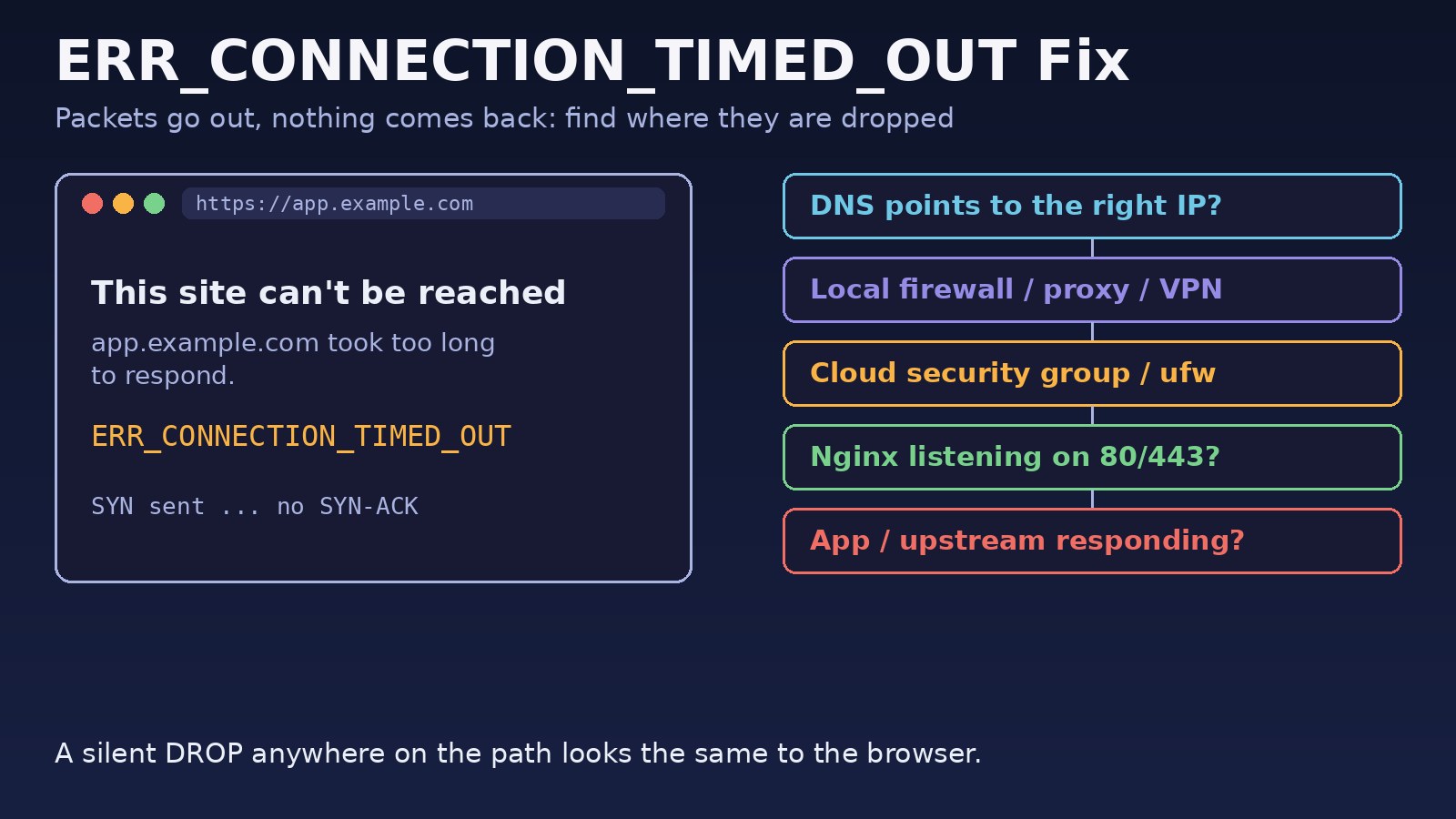
Chrome shows ERR_CONNECTION_TIMED_OUT when it tries to open a TCP connection to a website and never gets an answer. The page reads "This site can't be reached. example.com took too long to respond." This guide explains how to fix err_connection_timed_out from both sides: the quick checks on your own computer and network, and the server checks for when users report it on a site you host behind Nginx, Docker, Laravel or Next.js.
Problem: The Site Took Too Long to Respond
A timeout is a silent failure. Chrome sends a TCP SYN packet to the server's IP and port, waits, retries, and finally gives up because no SYN-ACK ever came back. That is different from ERR_CONNECTION_REFUSED (the server answered "nothing is listening here") and from ERR_CONNECTION_RESET (a connection started and was then killed). With a timeout, the packets are being dropped somewhere, or they are going to the wrong place. Typical culprits are a firewall rule that drops instead of rejects, a cloud security group without an inbound rule, a DNS record that points at an old IP, a stopped server, or a proxy or VPN on the client.
A website timeout error can also happen after the connection is open, when the backend takes too long. In that case Nginx usually returns its own 504 page instead of Chrome's error, which is a sign the problem is in the application rather than the network.
Symptoms
- Chrome shows
This site can't be reached,example.com took too long to respond,ERR_CONNECTION_TIMED_OUT. - Firefox shows "The connection has timed out"; Edge shows the same Chromium error code.
curlhangs and then printscurl: (28) Failed to connect to example.com port 443 after 75003 ms: Couldn't connect to serverorConnection timed out.sshto the same server printsssh: connect to host 203.0.113.10 port 22: Connection timed out.- The site works over mobile data but not on office Wi-Fi, or works for everyone except you.
- A newly launched VPS or container responds on the server itself (
curl localhost) but not from outside. - The site stopped responding right after a DNS change, a server migration or a firewall update.
Root Cause: Where Are the Packets Dropped?
Client-side causes of a Chrome connection timed out error
- A VPN, system proxy or PAC file that sends traffic to a proxy that no longer works.
- A stale DNS cache or a
hostsfile entry pointing the domain at an old IP. - A local firewall or antivirus "web protection" feature blocking the connection.
- An office, school or ISP network that blocks the site or the port (for example, non-standard ports like 8080 or 3000).
Server-side causes
- The server or container is down, or the host is overloaded and not accepting connections.
- The cloud firewall (AWS security group, DigitalOcean or GCP firewall) has no inbound rule for 80/443.
ufw,firewalldoriptableson the server drops traffic to the port.- DNS A/AAAA records point at an old or wrong IP, or an AAAA record exists but IPv6 is not actually served.
- Nginx is not listening on the public interface or on port 443.
- Docker publishes the port to
127.0.0.1only, so it is not reachable from outside.
Step-by-Step Solution: How to Fix ERR_CONNECTION_TIMED_OUT
Step 1: Check whether the site is down for everyone
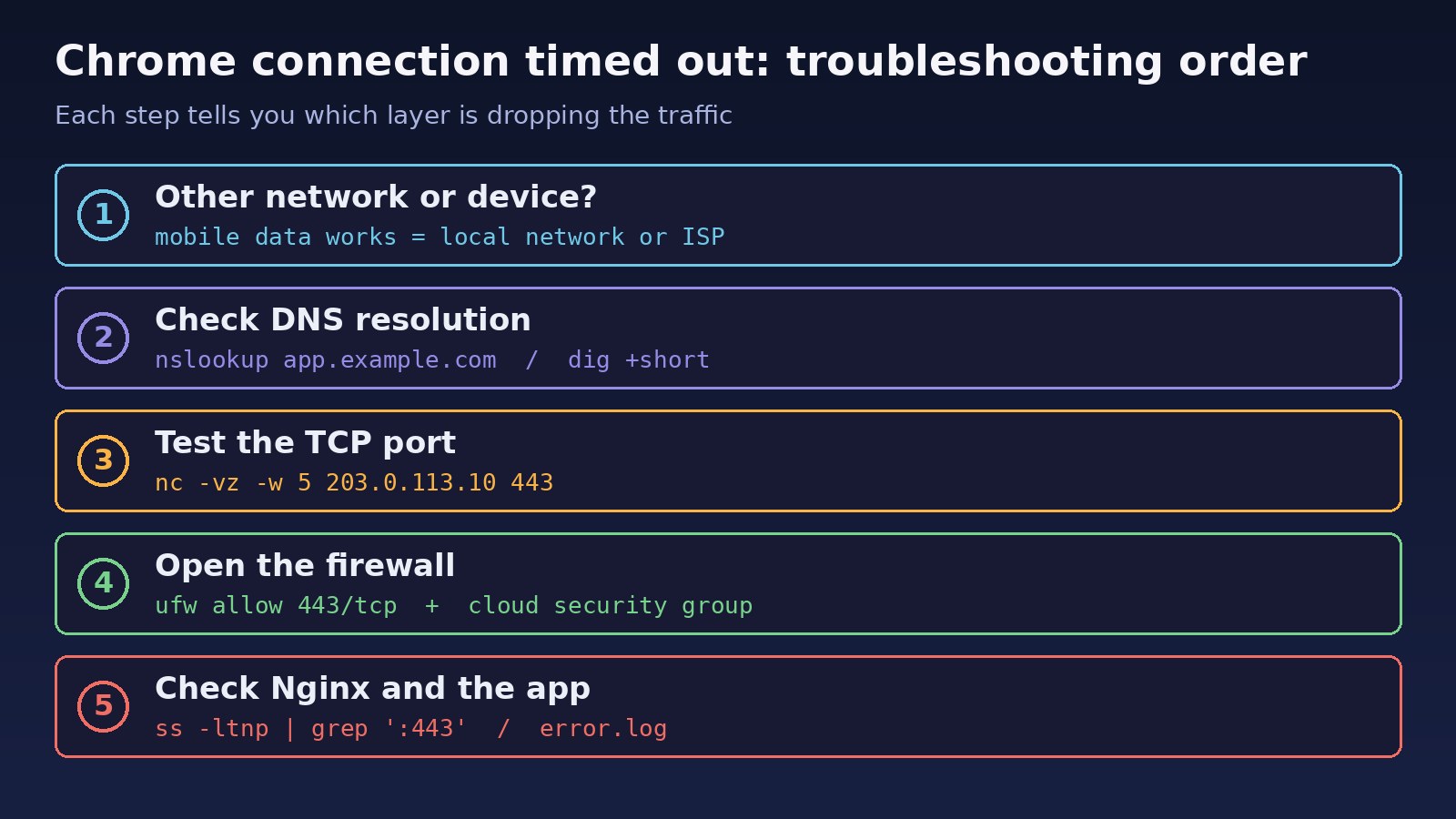
Open the URL on a different device and a different network, such as a phone on mobile data. If it loads there, the cause is on your computer or local network (steps 2 to 4). If it fails everywhere, go to the server checks (steps 5 to 8).
Step 2: Disable VPN and proxy
Disconnect any VPN. Check proxy settings at chrome://settings/system (it opens the OS proxy settings) and turn off "Use a proxy server" or any automatic configuration script you do not recognize. Retry in an Incognito window to rule out extensions.
Step 3: Flush DNS and check the hosts file
Clear Chrome's host cache at chrome://net-internals/#dns, flush the OS DNS cache, and look for an entry for the domain in C:\Windows\System32\drivers\etc\hosts or /etc/hosts. Compare the IP your machine resolves with what a public resolver like 1.1.1.1 returns.
Step 4: Reset the network stack
On Windows, reset Winsock and TCP/IP, then restart. Restart the router as well. Temporarily turn off third-party firewall or antivirus web protection to test.
Step 5: Confirm DNS points at the right server
Use dig to check both A and AAAA records. After a migration, the old IP often lingers in a record you forgot about.
Step 6: Test the TCP port from outside
Use nc or curl from another machine. A quick "succeeded" means the network path is fine; a hang means something drops the packets.
Step 7: Open the firewall
Allow 80 and 443 in the server firewall and in the cloud provider's security group or firewall. Both layers must allow the traffic.
Step 8: Make sure Nginx and the app are listening
Check with ss -ltnp that Nginx listens on 0.0.0.0:443 (or [::]:443), and that Docker publishes ports on all interfaces.
Code/Commands Examples
Flush DNS and reset the network stack
:: Windows (Command Prompt as Administrator)
ipconfig /flushdns
netsh winsock reset
netsh int ip reset
:: restart Windows afterwards

# macOS
sudo dscacheutil -flushcache; sudo killall -HUP mDNSResponder

# Linux with systemd-resolved
sudo resolvectl flush-caches
Check DNS records
dig +short A app.example.com
dig +short AAAA app.example.com
dig +short A app.example.com @1.1.1.1   # compare with a public resolver
nslookup app.example.com
If the AAAA record returns an address but the server has no working IPv6, some clients will try IPv6 first and time out. Remove the record or configure IPv6 on the server.
Test the port from another machine
nc -vz -w 5 203.0.113.10 443
# Connection to 203.0.113.10 443 port [tcp/https] succeeded!   <- path is open
# nc: connect to 203.0.113.10 port 443 (tcp) timed out          <- packets dropped

curl -v --connect-timeout 10 https://app.example.com/
# curl: (28) Failed to connect to app.example.com port 443 after 10001 ms: Timeout was reached

# where does the path stop?
traceroute -T -p 443 app.example.com     # Linux
tracert app.example.com                  # Windows
Open the firewall on the server
# ufw (Ubuntu)
sudo ufw status verbose
sudo ufw allow 80/tcp
sudo ufw allow 443/tcp

# firewalld (RHEL, Rocky, Alma)
sudo firewall-cmd --list-all
sudo firewall-cmd --permanent --add-service=http --add-service=https
sudo firewall-cmd --reload

# iptables: look for DROP rules on the port
sudo iptables -L INPUT -n -v --line-numbers
Also add inbound rules for TCP 80 and 443 from 0.0.0.0/0 (and ::/0 for IPv6) in the AWS security group or your provider's cloud firewall. This is the most common cause on a fresh VPS.
Check what is listening
sudo ss -ltnp | grep -E ':(80|443)\s'
# LISTEN 0 511 0.0.0.0:443  0.0.0.0:*  users:(("nginx",pid=812,fd=8))

sudo nginx -t && sudo systemctl status nginx
sudo tail -n 50 /var/log/nginx/error.log

# Docker: check how ports are published
docker ps --format '{{.Names}}\t{{.Ports}}'
# 127.0.0.1:8080->80/tcp <- only reachable from the host itself# docker-compose.yml: publish on all interfaces
services:
web:
image: nginx:stable
ports:
- "80:80"
- "443:443" # not "127.0.0.1:443:443" if the container must be publicWhen the timeout happens after connecting
If nc succeeds but pages still hang, the backend is slow. Nginx returns 504 Gateway Time-out and logs upstream timed out (110: Connection timed out) while reading response header from upstream. Fix the slow query or job first, then set timeouts deliberately:
location / {
    proxy_pass http://app_upstream;
    proxy_connect_timeout 5s;
    proxy_read_timeout 60s;
}

# PHP-FPM / Laravel
location ~ \.php$ {
    fastcgi_pass unix:/run/php/php8.3-fpm.sock;
    fastcgi_read_timeout 60s;
}
For related upstream failures, see 502 Bad Gateway in Nginx. If the connection is actively closed instead of timing out, follow How to Fix ERR_CONNECTION_RESET in Chrome.
Verification
nc -vz -w 5 <server-ip> 443from an outside machine reports "succeeded".curl -sv -o /dev/null https://app.example.com/prints an HTTP status line within a second or two.dig +short app.example.comreturns the current server IP from both your resolver and 1.1.1.1.- The site loads in a normal Chrome window, with VPN on and off, on Wi-Fi and on mobile data.
- The Nginx error log shows no new
upstream timed outentries during normal use.
Prevention
- Keep firewall rules in code (Terraform, Ansible or a documented
ufwscript) so a rebuilt server gets the same open ports. - Lower DNS TTLs a day before a migration, and remove old A and AAAA records after it.
- Add external uptime monitoring that checks the public URL, not just
localhost. - Use standard ports 80/443 behind Nginx instead of exposing app ports like 3000 or 8000 that corporate networks often block.
- Set application and database timeouts lower than Nginx timeouts so slow requests fail with a clear error. Real-time apps that hold long connections need extra care; see WebSocket connection failed.
FAQs
What does ERR_CONNECTION_TIMED_OUT mean?
Chrome sent a connection request to the server and got no reply within its time limit. The request was dropped somewhere, or the domain resolved to an IP where nothing answers.
How do I fix a Chrome connection timed out error on only one site?
Test the site on another network. If it works elsewhere, flush DNS, check the hosts file, and disable VPN, proxy and extensions. If it fails everywhere, the site's server or firewall is the problem.
Is a website timeout error my fault or the server's?
If other networks and devices also time out, it is the server, its DNS or its firewall. If only your network fails, it is local, your ISP or a network filter.
Why does my new VPS give ERR_CONNECTION_TIMED_OUT?
Usually the cloud security group or ufw does not allow ports 80 and 443, or the web server is listening only on 127.0.0.1. Open both firewall layers and check ss -ltnp.
What is the difference between ERR_CONNECTION_TIMED_OUT and 504 Gateway Timeout?
ERR_CONNECTION_TIMED_OUT means the browser could not connect at all. A 504 means Nginx or a load balancer accepted the connection but the backend did not respond in time.
Can a VPN cause ERR_CONNECTION_TIMED_OUT?
Yes. A VPN can route traffic through a server that cannot reach the site, or the site may block VPN IP ranges. Disconnect it and retry to confirm.



Comments
Join the discussion. Replies load on demand, up to 5 levels.
0 threads
No comments yet
Be the first to start the conversation.