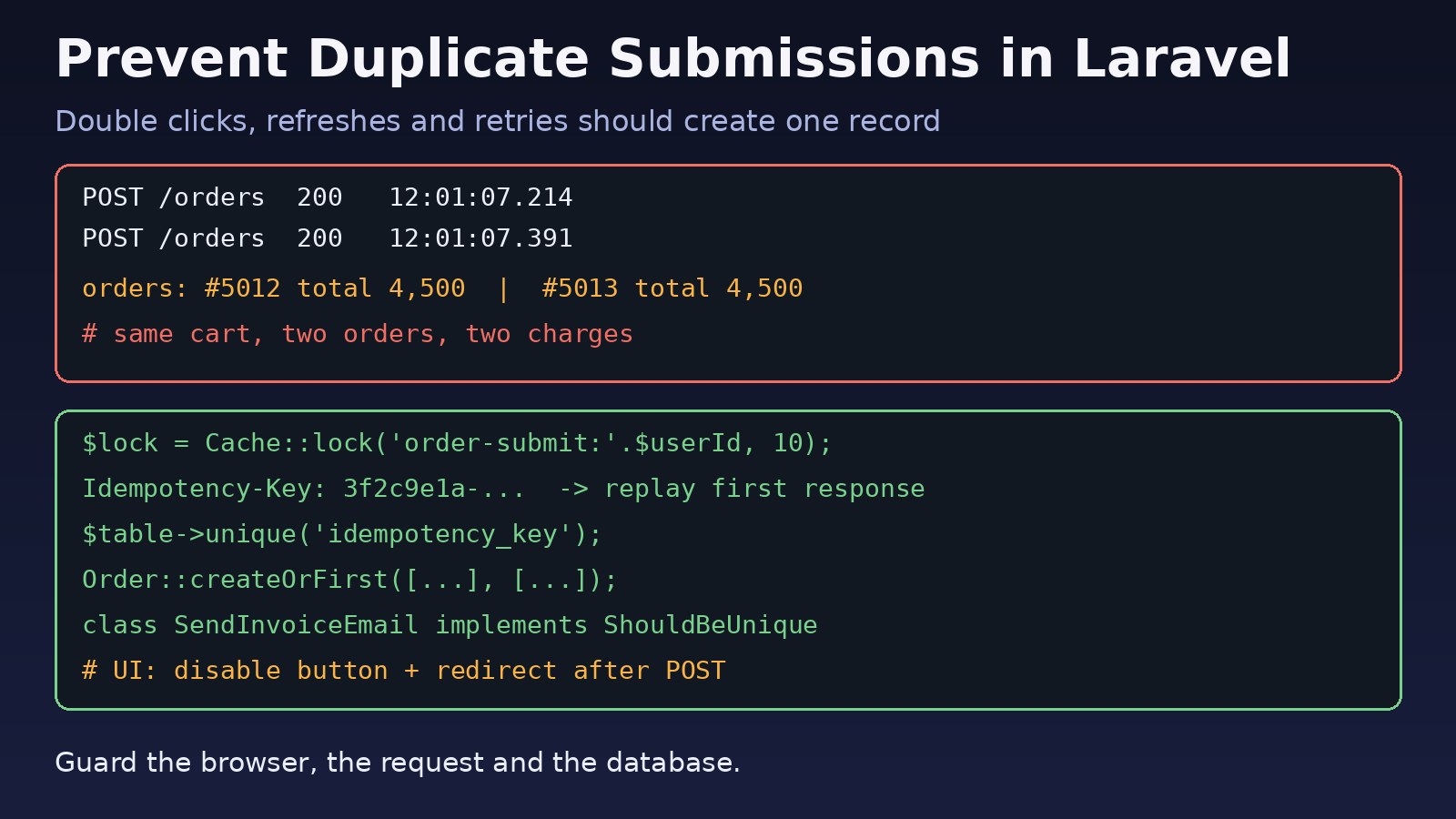
A user double-clicks "Place Order", the network is slow, and now there are two orders, two payments and two confirmation emails. Or a mobile app retries a timed-out request and your API creates the same record twice. If you need to laravel prevent duplicate submission problems like these, a disabled button alone is not enough. You need protection at three layers: the browser, the request, and the database. This guide shows how to do each one in Laravel with real code, from Post/Redirect/Get and atomic cache locks to idempotency keys and unique indexes.
Problem: Duplicate Form Submissions in Laravel
HTTP has no built-in notion of "this is the same request again". Every POST that reaches your controller is treated as new work. When the same form or API call arrives twice within a few hundred milliseconds, two PHP-FPM workers process it in parallel, both pass validation, and both insert a row.
This is a classic race condition. It shows up most in checkout flows, payment callbacks, invoice and voucher creation in ERP systems, registration forms, and any API used by mobile clients with automatic retries.
Symptoms
- Two identical rows in
orders,paymentsorinvoicescreated within the same second. - Customers receive duplicate confirmation emails or SMS messages.
- Pressing F5 on a success page shows the browser prompt "Confirm Form Resubmission" and creates another record if accepted.
- A
uniquevalidation rule exists, yet duplicates still get through under load. - Logs show
SQLSTATE[23000]: Integrity constraint violation: 1062 Duplicate entry(MySQL) orduplicate key value violates unique constraint(PostgreSQL) after you add an index. - Webhooks from a payment gateway are processed twice because the provider retried them.
Root Cause of Duplicate API Requests
Double clicks and slow responses
If the button stays active while the request is in flight, impatient users click again. Each click sends a full POST with a valid CSRF token, so Laravel accepts both.
Browser refresh after a POST
When a controller returns a view directly after a POST, the browser's current entry is that POST. Refreshing the page re-sends it.
Client and proxy retries
Mobile apps, HTTP clients such as Axios interceptors, load balancers and payment providers retry requests on timeouts. The first request may have succeeded on the server even though the client never saw the response. These are the duplicate API requests that frontend fixes cannot stop.
Check-then-insert race condition
Code like if (! Order::where(...)->exists()) { Order::create(...); } is not atomic. Two requests can run the exists() check at the same moment, both see nothing, and both insert. The unique validation rule has the same weakness because it is just a SELECT before the insert.
Queued jobs dispatched twice
If the controller dispatches a job and the request runs twice, two jobs run. Without a uniqueness guard on the job, side effects such as emails and charges are duplicated.
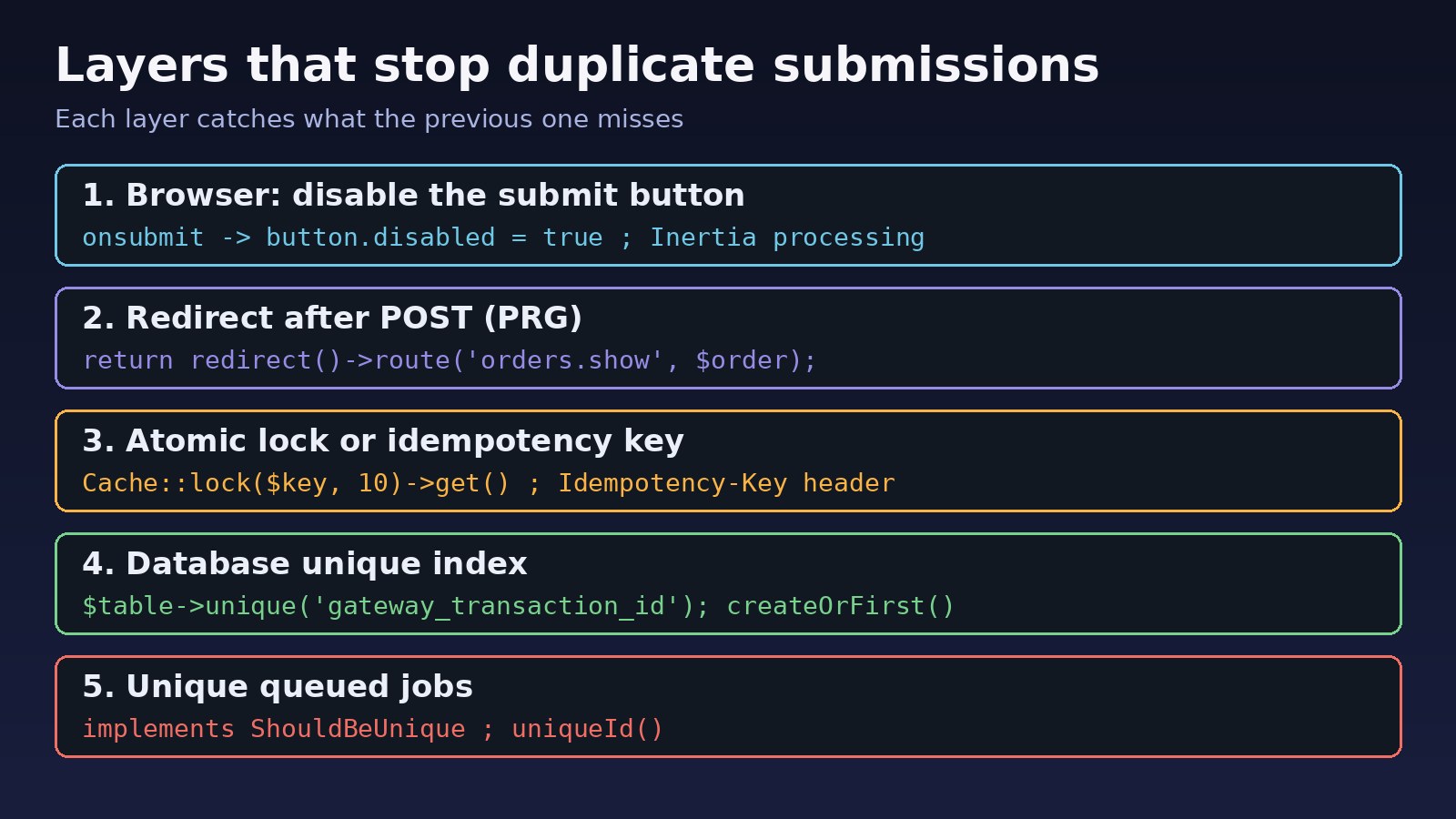
Step-by-Step Solution
Step 1: Disable the submit button while the request runs
This is a user experience fix, not a security control, but it removes most accidental double clicks. In a plain Blade form:
<form method="POST" action="{{ route('orders.store') }}"
      onsubmit="this.querySelector('button[type=submit]').disabled = true;">
    @csrf
    <!-- fields -->
    <button type="submit">Place Order</button>
</form>
With Inertia and React, use the form helper's processing flag. With Livewire, wire:loading.attr="disabled" on the button does the same job:
// Inertia + React
const { data, setData, post, processing } = useForm({ amount: '' });
<button type="submit" disabled={processing}>Place Order</button>

{{-- Livewire --}}
<button type="submit" wire:loading.attr="disabled">Place Order</button>
Step 2: Use Post/Redirect/Get after every successful POST
Never return a view from a store action. Redirect instead, so a refresh reloads a harmless GET:
public function store(StoreOrderRequest $request)
{
    $order = $this->orders->create($request->validated());

    return redirect()
        ->route('orders.show', $order)
        ->with('status', 'Order placed.');
}
Many teams also regenerate the CSRF token after a sensitive submit with $request->session()->regenerateToken();. A second POST still carrying the old token then fails with a 419 instead of creating a record. If you see unexpected 419 errors after adding this, read How to Fix Laravel 419 Page Expired Error.
Step 3: Wrap the critical section in an atomic cache lock
Laravel's atomic locks let only one request at a time run a block of code for a given key. They need a cache driver that supports locks, such as redis, memcached, database or dynamodb. The file driver only works on a single server.
use Illuminate\Support\Facades\Cache;

public function store(StoreOrderRequest $request)
{
    $key = 'order-submit:'.$request->user()->id.':'.$request->input('cart_id');

    $lock = Cache::lock($key, 10); // auto-expires after 10 seconds

    if (! $lock->get()) {
        return back()->withErrors(['order' => 'Your order is already being processed.']);
    }

    try {
        $order = $this->orders->createFromCart($request->validated());
    } finally {
        $lock->release();
    }

    return redirect()->route('orders.show', $order);
}
Choose a key that identifies "the same action", for example user plus cart, user plus invoice number, or user plus a hash of the payload. If Redis is unreachable here, you will get connection errors; see How to Fix Redis Connection Refused Errors.
Step 4: Add Laravel idempotency keys for APIs
For APIs, the standard pattern is an Idempotency-Key header. The client generates a UUID per logical operation and sends the same key on every retry. The server stores the first response and replays it for repeats. Here is a minimal middleware:
// app/Http/Middleware/EnsureIdempotency.php
namespace App\Http\Middleware;

use Closure;
use Illuminate\Http\Request;
use Illuminate\Support\Facades\Cache;

class EnsureIdempotency
{
    public function handle(Request $request, Closure $next)
    {
        $key = $request->header('Idempotency-Key');

        if (! $key || ! $request->isMethod('post')) {
            return $next($request);
        }

        $cacheKey = 'idem:'.($request->user()?->id ?? 'guest').':'.$key;

        if ($cached = Cache::get($cacheKey)) {
            return response($cached['body'], $cached['status'])
                ->withHeaders(['Content-Type' => 'application/json', 'Idempotent-Replay' => 'true']);
        }

        $lock = Cache::lock($cacheKey.':lock', 30);

        if (! $lock->get()) {
            return response()->json(['message' => 'Request with this Idempotency-Key is in progress.'], 409);
        }

        try {
            $response = $next($request);

            if ($response->isSuccessful()) {
                Cache::put($cacheKey, [
                    'status' => $response->getStatusCode(),
                    'body'   => $response->getContent(),
                ], now()->addHours(24));
            }

            return $response;
        } finally {
            $lock->release();
        }
    }
}
Register it as a route middleware alias (in bootstrap/app.php on Laravel 11 and later, or app/Http/Kernel.php on older versions) and apply it to routes that create resources or move money:
// bootstrap/app.php (Laravel 11+)
->withMiddleware(function (Middleware $middleware) {
    $middleware->alias(['idempotent' => \App\Http\Middleware\EnsureIdempotency::class]);
})

// routes/api.php
Route::post('/payments', [PaymentController::class, 'store'])
    ->middleware(['auth:sanctum', 'idempotent']);
On the client, generate the key once and reuse it on retries:
const key = crypto.randomUUID();
await axios.post('/api/payments', payload, { headers: { 'Idempotency-Key': key } });
Step 5: Enforce uniqueness in the database
Locks and keys reduce duplicates, but the database is the only place that can guarantee them. Add a unique index on the column or columns that define a duplicate:
Schema::table('payments', function (Blueprint $table) {
    $table->unique('gateway_transaction_id');
});

Schema::table('orders', function (Blueprint $table) {
    $table->string('idempotency_key')->nullable()->unique();
});
Then handle the violation instead of showing a 500 error. Laravel 10.20 and later throw Illuminate\Database\UniqueConstraintViolationException:
use Illuminate\Database\UniqueConstraintViolationException;

try {
    $payment = Payment::create($data);
} catch (UniqueConstraintViolationException $e) {
    $payment = Payment::where('gateway_transaction_id', $data['gateway_transaction_id'])->firstOrFail();
}
Laravel also offers createOrFirst(), which tries the insert first and falls back to fetching the existing row when the unique constraint fires. That is safer under concurrency than firstOrCreate(), which checks first and inserts second.
$order = Order::createOrFirst(
    ['idempotency_key' => $request->header('Idempotency-Key')],
    ['user_id' => $request->user()->id, 'total' => $total]
);
Step 6: Make queued jobs unique
If a duplicate request still slips through and dispatches a job, implement ShouldBeUnique so only one job per key can be queued at a time:
use Illuminate\Contracts\Queue\ShouldBeUnique;

class SendInvoiceEmail implements ShouldQueue, ShouldBeUnique
{
    public $uniqueFor = 600; // seconds

    public function __construct(public Invoice $invoice) {}

    public function uniqueId(): string
    {
        return (string) $this->invoice->id;
    }
}
Unique jobs also rely on atomic locks, so the same cache driver rules apply. For queue setup details, see Laravel Queue Redis: Setup and Troubleshooting Guide.
Step 7: Deduplicate webhooks by event ID
Payment providers send an event ID with each webhook and may deliver the same event more than once. Store processed IDs in a table with a unique index and skip anything already seen:
$inserted = DB::table('processed_webhooks')->insertOrIgnore([
    'event_id'   => $payload['id'],
    'created_at' => now(),
]);

if ($inserted === 0) {
    return response()->json(['status' => 'already processed']);
}
Verification
Do not trust a single manual click. Fire concurrent requests at the endpoint and count the rows created. A quick test with curl in parallel:
KEY=$(uuidgen)
for i in 1 2 3 4 5; do
  curl -s -o /dev/null -w "%{http_code}\n" -X POST https://example.test/api/payments \
    -H "Authorization: Bearer $TOKEN" \
    -H "Idempotency-Key: $KEY" \
    -H "Content-Type: application/json" \
    -d '{"amount":1000}' &
done
wait
Expect one 201 and the rest either replayed responses or 409. Then check the database:
SELECT idempotency_key, COUNT(*)
FROM orders
GROUP BY idempotency_key
HAVING COUNT(*) > 1;
This query should return no rows. In a feature test you can assert the same with $this->assertDatabaseCount('orders', 1); after posting twice with the same key.
Prevention
- Treat every POST that creates data or moves money as something that can arrive twice.
- Always redirect after a successful POST in web controllers.
- Add unique indexes for natural keys such as transaction IDs, invoice numbers and external event IDs.
- Use
createOrFirst()or catchUniqueConstraintViolationExceptionrather than check-then-insert code. - Require an
Idempotency-Keyheader on payment and order APIs, and document it for mobile and partner clients. - Use Redis or another shared cache for locks when running more than one app server.
- Implement
ShouldBeUniqueon jobs that send emails, charge cards or sync with external systems. - Add a concurrency test to CI for your most critical endpoints.
FAQs
What is the best way to laravel prevent duplicate submission?
Combine layers: disable the button in the UI, redirect after POST, guard the critical code with Cache::lock() or an idempotency key, and add a unique index in the database. Only the database layer is a hard guarantee.
Does Laravel have built-in idempotency support?
Laravel does not ship an idempotency-key middleware, but it provides the building blocks: atomic cache locks, createOrFirst(), UniqueConstraintViolationException and ShouldBeUnique jobs. A small custom middleware like the one above covers most APIs.
Why does the unique validation rule not stop duplicates?
The unique rule runs a SELECT before the insert. Two concurrent requests can both pass it before either has written the row. Only a database unique index prevents this race.
How do I handle duplicate API requests from mobile apps?
Have the app generate a UUID per action and send it in an Idempotency-Key header, reusing it on retries. The server stores the first result and returns it for any repeat with the same key.
Can I use the file cache driver for Cache::lock?
It works on a single server, but locks are not shared across multiple servers or containers. Use Redis, Memcached, the database driver or DynamoDB in multi-server setups.
How do I stop "Confirm Form Resubmission" on refresh?
Return a redirect from the POST handler instead of a view. The refresh then repeats the GET for the result page, not the POST.



Comments
Join the discussion. Replies load on demand, up to 5 levels.
0 threads
No comments yet
Be the first to start the conversation.