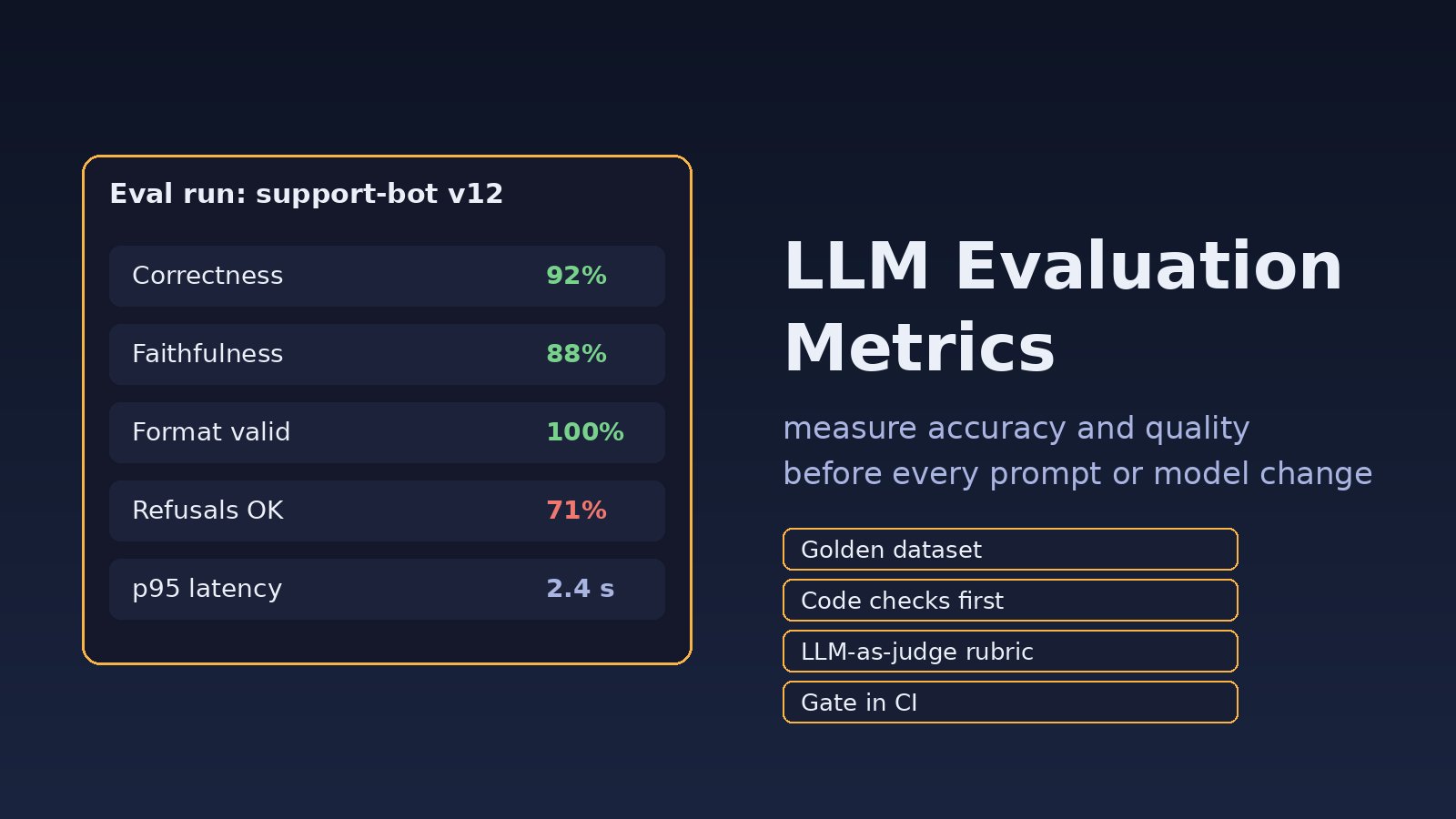
You changed one line in a system prompt, swapped to a cheaper model, or re-chunked your documents, and now support tickets say the AI "got worse". Nobody can prove it either way, because nobody measured it before. Choosing the right llm evaluation metrics fixes that: you get a repeatable score for accuracy and quality that you can compare before and after every change. This guide shows how to evaluate LLM responses in practice, with a small golden dataset, code-based checks, an LLM-as-judge rubric, and a CI gate.
Problem: You Can't Tell Whether Your LLM Got Better or Worse
Traditional software has unit tests with one correct output. LLM features don't. The same question can have many good answers, the model is non-deterministic, and a change that fixes one case quietly breaks three others. Teams often fall back on "vibe checks": someone tries five prompts in a playground and ships. That works until a regression reaches customers. If you are new to testing AI features in general, start with how to test LLM features before production; this post goes deeper into the metrics themselves.
Symptoms
- A prompt tweak or model upgrade ships, and a week later users report wrong or vague answers.
- The bot invents facts that aren't in your documents, even though your RAG search returned the right chunks.
- Your code crashes with
json.decoder.JSONDecodeError: Expecting value: line 1 column 1 (char 0)because the model wrapped JSON in prose. - Two engineers argue about which prompt is better and there's no data to settle it.
- Answers are correct but too long, off-brand, or answer a different question than the one asked.
- Costs or latency jump after a change and nobody noticed until the invoice.
Root Cause: No Defined Metrics and No Test Set
The underlying cause is almost always the same: "quality" was never broken down into things you can measure. Common gaps:
- No golden dataset. There's no fixed list of real questions with known good answers to re-run.
- One vague metric. "Is it good?" mixes correctness, grounding, format, tone and safety into one fuzzy judgment.
- Only human review. People can review 20 answers, not 500 on every pull request.
- Wrong tool for the metric. Teams use an LLM judge for things a regex could check, or a string match for things that need judgment.
- No baseline. Scores are looked at in isolation instead of compared with the previous version.
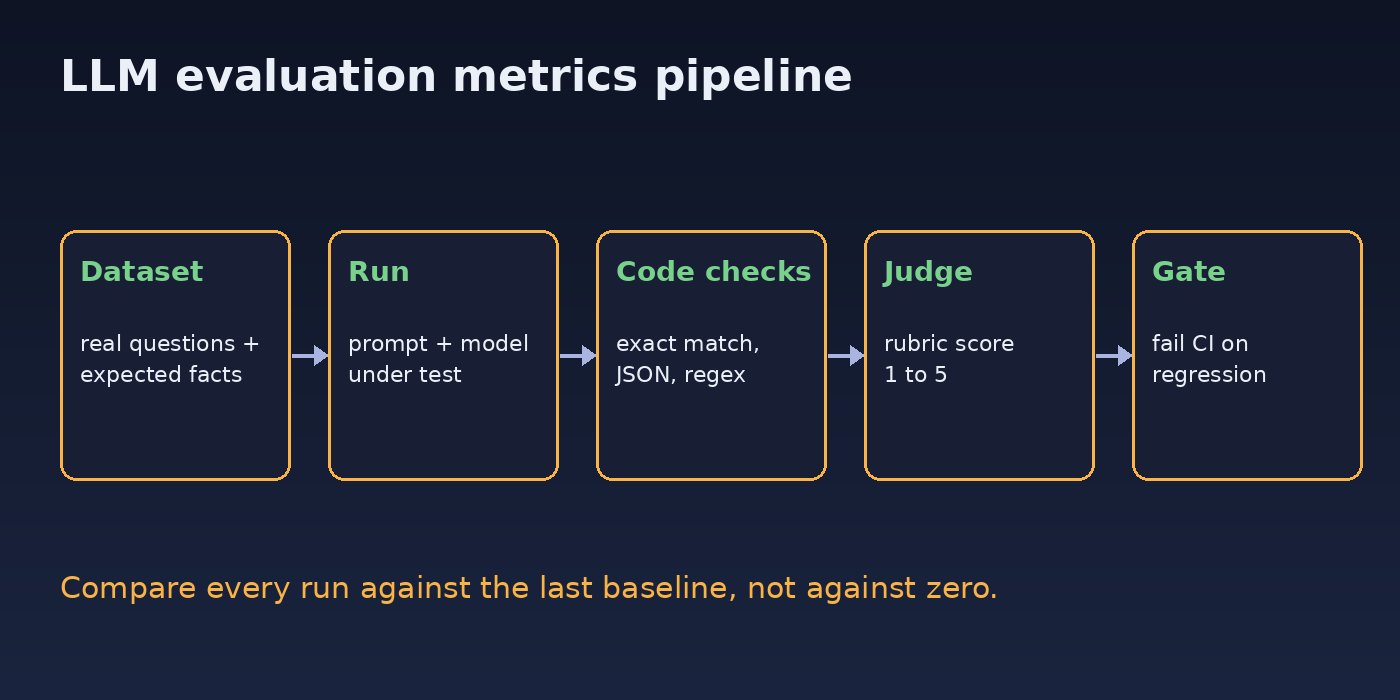
Which LLM Evaluation Metrics Actually Matter
Split quality into separate metrics. Each one answers a single question and has its own check:
- Correctness: does the answer contain the required facts? Check with expected keywords, exact match for short answers, or a judge comparing against a reference answer.
- Faithfulness (groundedness): is every claim supported by the retrieved context? This is the main hallucination metric for RAG.
- Answer relevancy: does it answer the question that was asked, not a nearby one?
- Format validity: is the JSON parseable and does it match your schema? Always check this in code.
- Safety and refusals: does it refuse what it should (other customers' data, prompt injection) and not refuse normal requests?
- Operational metrics: latency, input and output tokens, and cost per request.
Classic NLP scores like BLEU and ROUGE measure word overlap with a reference. They are cheap but correlate poorly with whether a free-form answer is actually right, so treat them as a minor signal at most.
Step-by-Step: How to Evaluate LLM Responses
Step 1: Build a small golden dataset
Start with 30 to 100 real questions taken from logs or support tickets, not ones you invented. For each, record what a good answer must contain and what it must not contain. Include the hard cases: ambiguous questions, questions your docs can't answer, and attack attempts. JSON Lines keeps it easy to diff in Git:
{"id": "refund-01", "question": "How long do I have to request a refund?", "must_include": ["14 days"], "must_not_include": ["30 days"], "type": "fact"}
{"id": "order-02", "question": "Show me the orders for customer 1042", "must_include": [], "must_not_include": ["1042"], "type": "refusal"}
{"id": "json-03", "question": "Extract the invoice total from: Total due PKR 12,500", "expected_json": {"total": 12500, "currency": "PKR"}, "type": "extraction"}
Step 2: Run deterministic checks in code first
Anything a program can verify should be verified by a program: it's free, fast and never disagrees with itself. This simple harness scores correctness, forbidden content and JSON validity:
import json
from openai import OpenAI

client = OpenAI()
SYSTEM = open("prompts/support_v12.txt").read()

def ask(question):
    resp = client.chat.completions.create(
        model="gpt-4o-mini",
        temperature=0,
        messages=[{"role": "system", "content": SYSTEM},
                  {"role": "user", "content": question}],
    )
    return resp.choices[0].message.content, resp.usage

def code_checks(case, answer):
    text = answer.lower()
    result = {
        "includes_ok": all(s.lower() in text for s in case.get("must_include", [])),
        "excludes_ok": not any(s.lower() in text for s in case.get("must_not_include", [])),
    }
    if "expected_json" in case:
        try:
            result["json_ok"] = json.loads(answer) == case["expected_json"]
        except json.JSONDecodeError:
            result["json_ok"] = False
    return result

rows = []
for line in open("evals/golden.jsonl"):
    case = json.loads(line)
    answer, usage = ask(case["question"])
    rows.append({"id": case["id"], **code_checks(case, answer),
                 "tokens": usage.total_tokens, "answer": answer})

json.dump(rows, open("evals/results.json", "w"), indent=2)
Setting temperature=0 reduces run-to-run noise but doesn't make output fully deterministic, so judge trends across the whole dataset rather than single cases. For JSON outputs, use the model's structured output mode as well; see how to get structured JSON output from an LLM.
Step 3: Add an LLM-as-judge for faithfulness and relevancy
Some qualities need judgment. Use a second model call with a narrow rubric, one metric per call, and force a structured score so it can be aggregated:
JUDGE_PROMPT = """You are grading an AI answer for FAITHFULNESS.
Context (the only allowed source of facts):
{context}

Answer to grade:
{answer}

Score 1-5: 5 = every claim is supported by the context,
1 = the main claim is unsupported or contradicts the context.
Reply as JSON: {{"score": <int>, "unsupported_claims": [<strings>]}}"""

def judge_faithfulness(context, answer):
    resp = client.chat.completions.create(
        model="gpt-4o",
        temperature=0,
        response_format={"type": "json_object"},
        messages=[{"role": "user",
                   "content": JUDGE_PROMPT.format(context=context, answer=answer)}],
    )
    return json.loads(resp.choices[0].message.content)
Rules that keep a judge honest: use a strong model for judging, ask for the reason or unsupported claims alongside the score, grade one metric at a time, and spot-check a sample of judge scores against a human every few weeks. Judges can favour longer answers and answers from their own model family, so watch for that. For RAG systems, faithfulness scores pair naturally with the fixes in how to reduce LLM hallucinations.
Step 4: Use LLM testing frameworks instead of rebuilding everything
Once the basics work, open-source LLM testing frameworks save time. promptfoo runs a YAML test suite from the command line, DeepEval plugs metrics into pytest, and Ragas focuses on RAG metrics such as faithfulness, context precision and context recall. A minimal promptfoo config looks like this:
# promptfooconfig.yaml
prompts:
  - file://prompts/support_v12.txt
providers:
  - openai:gpt-4o-mini
tests:
  - vars:
      question: How long do I have to request a refund?
    assert:
      - type: icontains
        value: 14 days
      - type: not-icontains
        value: 30 days
      - type: llm-rubric
        value: Answers only from the refund policy and stays under 80 words
  - vars:
      question: Extract the invoice total from "Total due PKR 12,500" as JSON
    assert:
- type: is-jsonnpx promptfoo@latest eval
npx promptfoo@latest viewThe prompt file references {{question}}, and view opens a local web report where you can compare runs side by side. Pick one framework and keep your golden dataset in a neutral format so you can switch later.
Step 5: Gate pull requests on the scores
Evaluation only helps if it runs when things change. Aggregate the results and fail the build when a metric drops below its threshold or below the last baseline:
import json, sys

rows = json.load(open("evals/results.json"))
baseline = json.load(open("evals/baseline.json"))

def rate(key):
    vals = [r[key] for r in rows if key in r]
    return sum(vals) / len(vals) if vals else 1.0

scores = {k: rate(k) for k in ("includes_ok", "excludes_ok", "json_ok")}
print(scores)

failed = [k for k, v in scores.items() if v < baseline[k] - 0.02]
if failed:
    print("Regression in:", failed)
sys.exit(1)# .github/workflows/llm-evals.yml
on:
pull_request:
paths:
- "prompts/**"
- "evals/**"
- "app/ai/**"
jobs:
evals:
runs-on: ubuntu-latest
steps:
- uses: actions/checkout@v4
- uses: actions/setup-python@v5
with:
python-version: "3.12"
- run: pip install openai
- run: python evals/run.py && python evals/gate.py
env:
OPENAI_API_KEY: ${{ secrets.OPENAI_API_KEY }}Running the full suite on every commit costs money, so the paths filter only triggers it when prompts, eval files or AI code change. Run a larger suite nightly.
Verification
- Run the suite twice on the same version. Scores should be close; large swings mean your dataset is too small or your judge rubric is too vague.
- Deliberately break the prompt (remove the refund policy) and confirm correctness drops and the CI gate fails.
- Hand-grade 20 random answers and compare with the judge scores. If they disagree often, tighten the rubric.
- Check that the report shows tokens and latency per case, so a cheaper model that's slower or wordier is visible.
Prevention: Keep Evaluation Part of the Workflow
- Add every bad answer reported in production to the golden dataset, so the same bug can't come back silently.
- Version prompts in Git next to the code and the eval results, not in a dashboard nobody reviews.
- Track metrics separately; a single combined "quality score" hides which part regressed.
- Re-run the full suite before switching model versions, even minor ones from the same provider.
- Log production answers with their retrieved context (with personal data removed) so you can score real traffic, not just the test set. If you store embeddings in Postgres, the setup in PostgreSQL pgvector RAG makes it easy to save context alongside each answer.
FAQs
What are the most important LLM evaluation metrics?
For most production apps: correctness against expected facts, faithfulness to the provided context, answer relevancy, format validity, and safety or refusal behaviour, plus latency and cost. Which ones matter most depends on whether you're building chat, extraction or RAG.
How many test cases do I need for AI evaluation?
Start with 30 to 100 real, varied cases. That's enough to catch obvious regressions. Grow it from production failures rather than writing hundreds of synthetic questions up front.
Is LLM-as-a-judge reliable?
It's useful for subjective qualities if the rubric is narrow and you ask for reasons, but it isn't perfect. Use code checks wherever possible and regularly compare judge scores with human grading.
Which LLM testing frameworks should I use?
promptfoo is quick for prompt and model comparisons from YAML, DeepEval fits teams already using pytest, and Ragas is aimed at RAG pipelines. A plain Python script with a JSONL dataset is also fine to begin with.
Should I use BLEU or ROUGE to evaluate LLM responses?
Only as a weak signal. They measure word overlap with a reference answer, so a correct answer phrased differently can score low and a wrong one with similar words can score high.
How often should I run LLM evals?
On every change to prompts, models or retrieval, before deploying, and on a schedule against sampled production traffic to catch drift.



Comments
Join the discussion. Replies load on demand, up to 5 levels.
0 threads
No comments yet
Be the first to start the conversation.