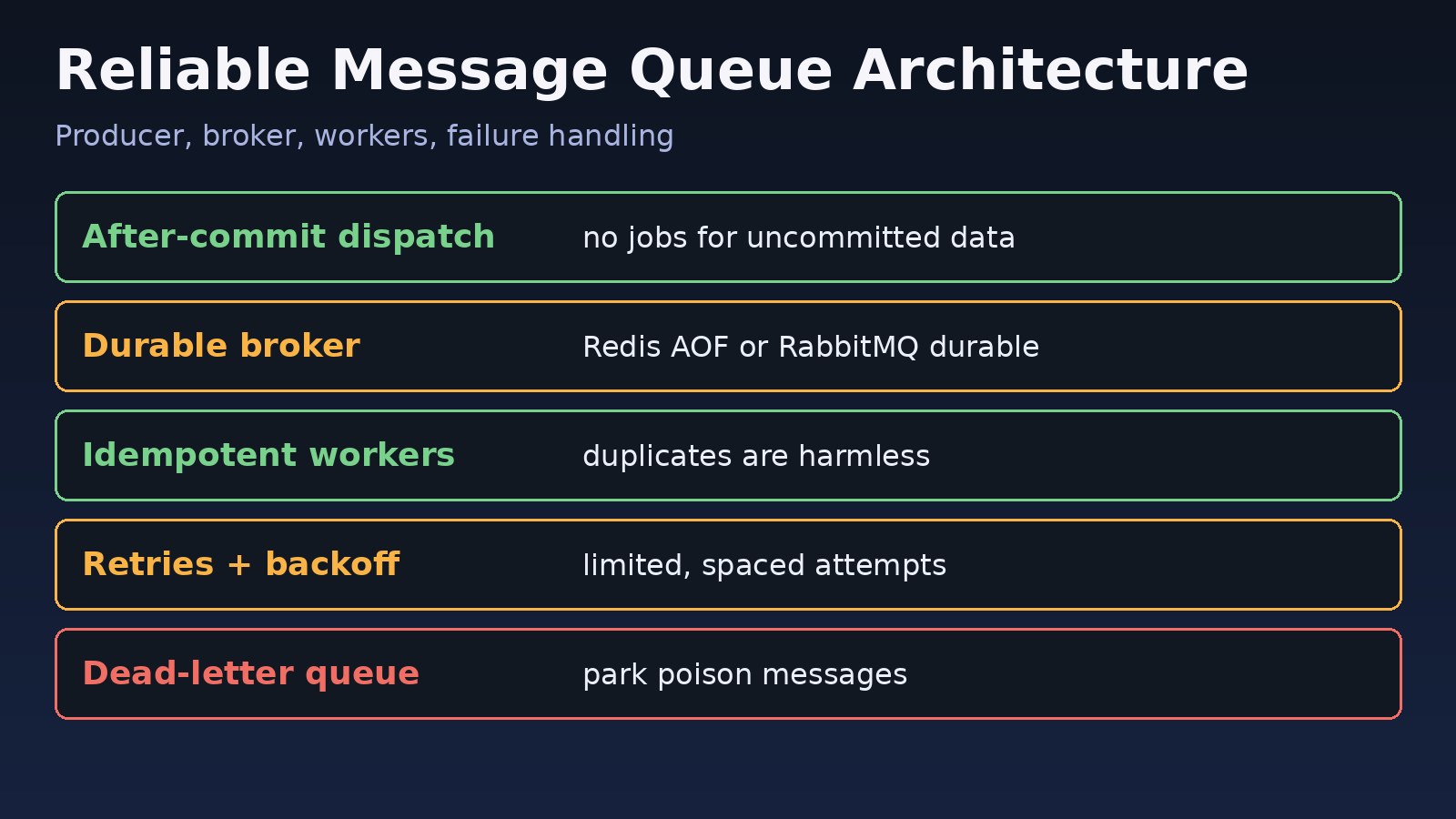
Your API sends emails, generates PDFs and calls payment webhooks inside the request, so one slow third-party service makes every user wait or time out. Moving that work to a queue is the obvious fix, but a badly designed queue brings new problems: lost jobs, duplicate emails, jobs stuck forever and workers that silently die. This guide covers practical message queue architecture for backend teams using Laravel, Node.js, Redis, RabbitMQ and PostgreSQL: how to design a queue system that does not lose work, handles failures with retries and dead-letter queues, and stays observable in production.
The Problem: Slow Requests and Lost Background Work
Without asynchronous processing, every side effect runs while the user waits. With a naive queue, you trade slowness for unreliability: a worker crashes mid-job, a Redis restart drops pending jobs, or a retry sends the same invoice twice. A reliable message queue system has to answer three questions clearly: where messages are stored, what happens when processing fails, and how you know something is wrong.
Symptoms of a Weak Queue System Design
- Users report missing emails, notifications or exports, but nothing appears in the error log.
- The same job runs twice, causing duplicate charges, emails or database rows.
- Queue length keeps growing during traffic peaks and never catches up.
- Jobs fail with timeouts and are retried endlessly, blocking other work.
- Workers stop after a deploy or memory leak and nobody notices for hours.
Typical log lines look like this:
Illuminate\Queue\MaxAttemptsExceededException: App\Jobs\SendInvoice has been attempted too many times.
Illuminate\Queue\TimeoutExceededException: App\Jobs\GenerateReport has timed out.
Error: Connection is closed. (ioredis)
PRECONDITION_FAILED - delivery acknowledgement on channel 1 timed out
Root Cause: Missing Guarantees in the Queue Architecture
Most queue incidents come from assumptions that are never written down:
- Delivery semantics are ignored. Almost every practical queue gives at-least-once delivery. A message can be delivered more than once, so consumers must be idempotent.
- Acknowledgement happens too early. If a worker acknowledges a message before finishing, a crash loses the job.
- Durability is not configured. Redis without persistence or a non-durable RabbitMQ queue can drop messages on restart.
- No failure path. Without retry limits, backoff and a dead-letter queue, poison messages loop forever.
- Jobs written inside open transactions. A job is dispatched, the worker picks it up, but the database transaction that created the record has not committed yet.
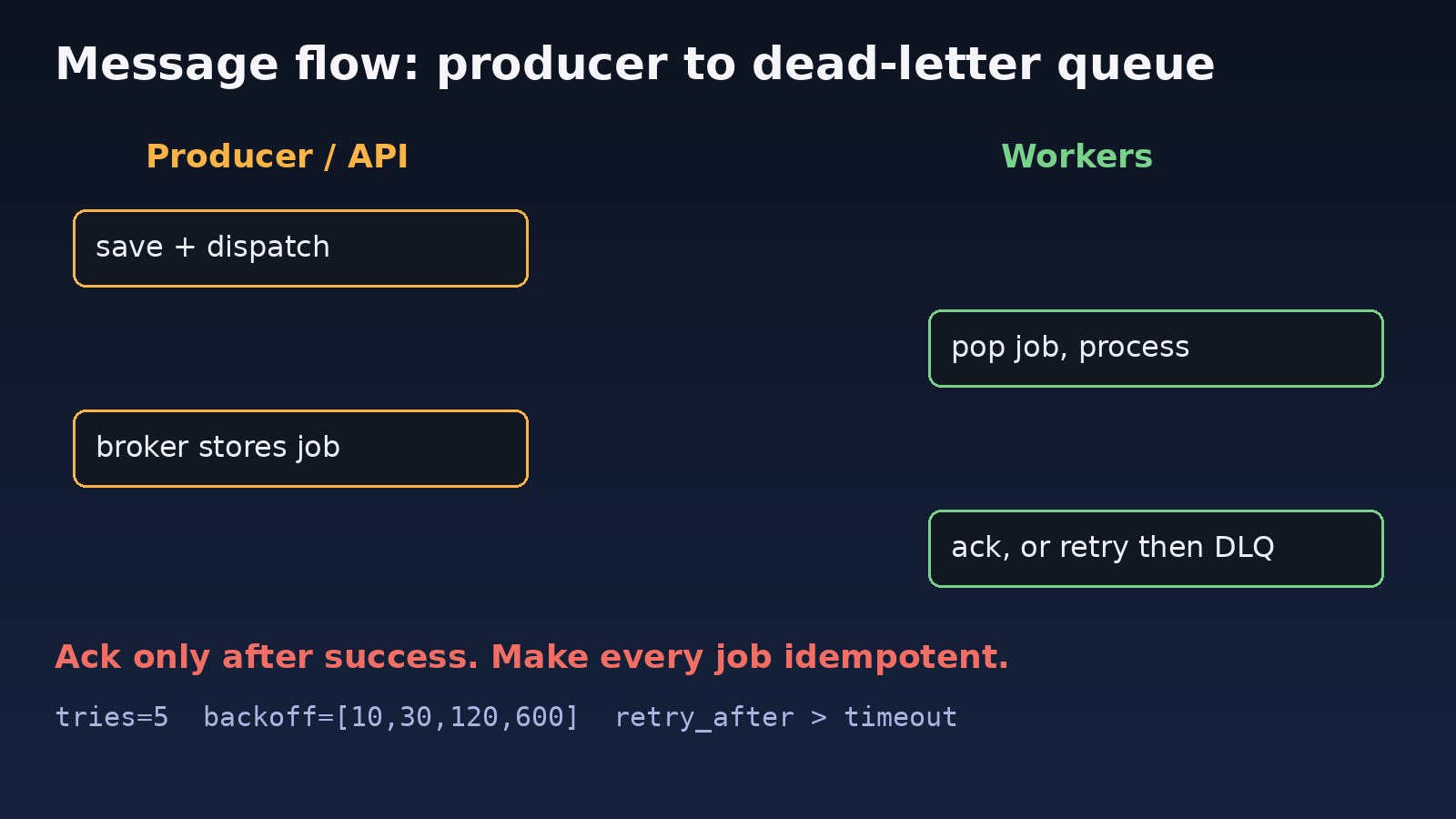
Step-by-Step: Message Queue Architecture That Works in Production
Step 1: Decide what goes on the queue
Queue anything slow, unreliable or not needed for the response: emails, SMS, PDF and Excel exports, image processing, webhooks to third parties, search indexing and report generation. Keep the request path short: validate, save, dispatch, respond. If you are unsure whether something should be a queued job, a cron job or an event, see queue vs cron job vs event.
Step 2: Pick a broker that matches your needs
- Redis (lists or streams): fast and simple, great for Laravel and BullMQ. Enable AOF persistence if jobs must survive a restart.
- RabbitMQ: durable queues, acknowledgements, routing and built-in dead-letter exchanges.
- Database queue (PostgreSQL or MySQL table): slower, but transactional and easy to inspect for low-volume ERP-style workloads.
- Kafka: an event log for high-throughput streaming and replay, more than a job queue.
For Redis durability, check persistence settings:
redis-cli CONFIG GET appendonly
redis-cli CONFIG SET appendonly yes
redis-cli CONFIG SET appendfsync everysec
Step 3: Make producers safe with after-commit dispatch
Only dispatch a job once the data it needs has been committed. In Laravel, use afterCommit or set 'after_commit' => true on the queue connection in config/queue.php.
DB::transaction(function () use ($data) {
    $order = Order::create($data);
    SendOrderConfirmation::dispatch($order)->afterCommit();
});
For strict guarantees, use the transactional outbox pattern: write the message to an outbox table in the same transaction, and a separate process publishes it to the broker.
CREATE TABLE outbox (
  id BIGSERIAL PRIMARY KEY,
  topic TEXT NOT NULL,
  payload JSONB NOT NULL,
  published_at TIMESTAMPTZ
);
-- publisher loop
SELECT id, topic, payload FROM outbox
WHERE published_at IS NULL
ORDER BY id LIMIT 100
FOR UPDATE SKIP LOCKED;
Step 4: Make consumers idempotent
Because messages can be delivered twice, a consumer must produce the same result if it runs again. Store a processed key with a unique constraint, or check state before acting. This is the same idea used to prevent race conditions in backend applications.
public function handle(): void
{
    $inserted = DB::table('processed_messages')->insertOrIgnore([
        'message_id' => $this->messageId,
        'created_at' => now(),
    ]);

    if ($inserted === 0) {
        return; // already handled
    }

    $this->sendInvoice();
}
Step 5: Configure retries, backoff and timeouts
Retries should be limited and spaced out so a struggling downstream service can recover. Read more in exponential backoff for reliable API retries.
class SendInvoice implements ShouldQueue
{
    public $tries = 5;
    public $timeout = 60;

    public function backoff(): array
    {
        return [10, 30, 120, 600];
    }

    public function failed(Throwable $e): void
    {
        Log::error('SendInvoice failed', ['id' => $this->invoiceId, 'error' => $e->getMessage()]);
    }
}
Keep the worker timeout lower than the connection's retry_after value, otherwise a still-running job can be handed to a second worker.
// config/queue.php
'redis' => [
    'driver' => 'redis',
    'connection' => 'default',
    'queue' => 'default',
    'retry_after' => 90,   // must be greater than the job timeout
    'after_commit' => true,
],
Step 6: Add a dead-letter queue
Messages that keep failing should move aside for inspection instead of blocking the queue. Laravel stores them in the failed_jobs table; RabbitMQ uses a dead-letter exchange; BullMQ keeps failed jobs in a failed set.
// Node.js with amqplib: durable queue with dead-lettering
await ch.assertExchange('dlx', 'direct', { durable: true });
await ch.assertQueue('orders.dlq', { durable: true });
await ch.bindQueue('orders.dlq', 'dlx', 'orders');
await ch.assertQueue('orders', {
  durable: true,
  arguments: { 'x-dead-letter-exchange': 'dlx', 'x-dead-letter-routing-key': 'orders' }
});
ch.prefetch(10);
ch.consume('orders', async (msg) => {
  try {
    await processOrder(JSON.parse(msg.content.toString()));
    ch.ack(msg);                 // ack only after success
  } catch (err) {
    ch.nack(msg, false, false);  // send to the dead-letter queue
  }
}, { noAck: false });
Step 7: Separate queues by priority and run workers under a supervisor
Do not let a 10-minute report block password reset emails. Use named queues and give each its own workers.
php artisan queue:work redis --queue=high,default,low --tries=5 --timeout=60 --max-jobs=1000 --max-time=3600

# /etc/supervisor/conf.d/laravel-worker.conf
[program:laravel-worker]
command=php /var/www/app/artisan queue:work redis --queue=high,default --sleep=3 --tries=5
numprocs=4
autostart=true
autorestart=true
stopwaitsecs=3600
user=www-data
redirect_stderr=true
stdout_logfile=/var/www/app/storage/logs/worker.log
Run php artisan queue:restart on every deploy so workers load new code. For more Redis-specific setup, see Laravel queue with Redis.
Asynchronous Processing in Docker
In containers, run workers as their own service so they scale independently from the web app:
services:
  worker:
    image: myapp:latest
    command: php artisan queue:work redis --queue=high,default --tries=5
    restart: unless-stopped
    deploy:
      replicas: 3
Verification
Check that your queue system behaves as designed before trusting it:
# Queue length in Redis (Laravel)
redis-cli LLEN queues:default

# Failed jobs
php artisan queue:failed
php artisan queue:retry all

# Laravel 10+ queue monitor
php artisan queue:monitor redis:default,redis:high --max=100

# RabbitMQ
rabbitmqctl list_queues name messages messages_unacknowledged

# Worker status
sudo supervisorctl status
Then test failure: kill a worker in the middle of a job and confirm the job is retried, stop the downstream API and confirm messages end up in the dead-letter queue, and dispatch the same message twice to confirm only one side effect happens.
Prevention: Keeping the Queue Reliable
- Alert on queue depth, oldest job age and failed job count, not just on errors.
- Keep payloads small: pass IDs, not whole models or files.
- Version your job payloads so old messages still work after a deploy.
- Set memory and time limits on workers so leaks are recycled automatically.
- Document delivery guarantees for every queue: at-least-once, ordering, retention.
- Review the dead-letter queue regularly instead of letting it grow silently.
FAQs
What is message queue architecture?
It is the design of how producers send messages to a broker, how the broker stores them, and how consumers process, acknowledge, retry and dead-letter them. Good architecture defines durability, delivery guarantees and failure handling up front.
When should I use asynchronous processing?
Use it for any work that is slow, depends on external services, or is not needed to build the response, such as emails, exports, webhooks and image processing.
Redis or RabbitMQ for a queue system design?
Redis is simpler and fits most Laravel and Node.js apps. RabbitMQ gives stronger delivery controls, routing and dead-lettering out of the box. Pick based on durability and routing needs, not popularity.
Can a message queue guarantee exactly-once delivery?
In practice you get at-least-once delivery. Design consumers to be idempotent so duplicates are harmless; that gives you effectively-once results.
Why are my Laravel jobs running twice?
Usually the job runs longer than retry_after, so another worker picks it up, or the job threw after doing its side effect and was retried. Set the timeout below retry_after and make the job idempotent.



Comments
Join the discussion. Replies load on demand, up to 5 levels.
0 threads
No comments yet
Be the first to start the conversation.