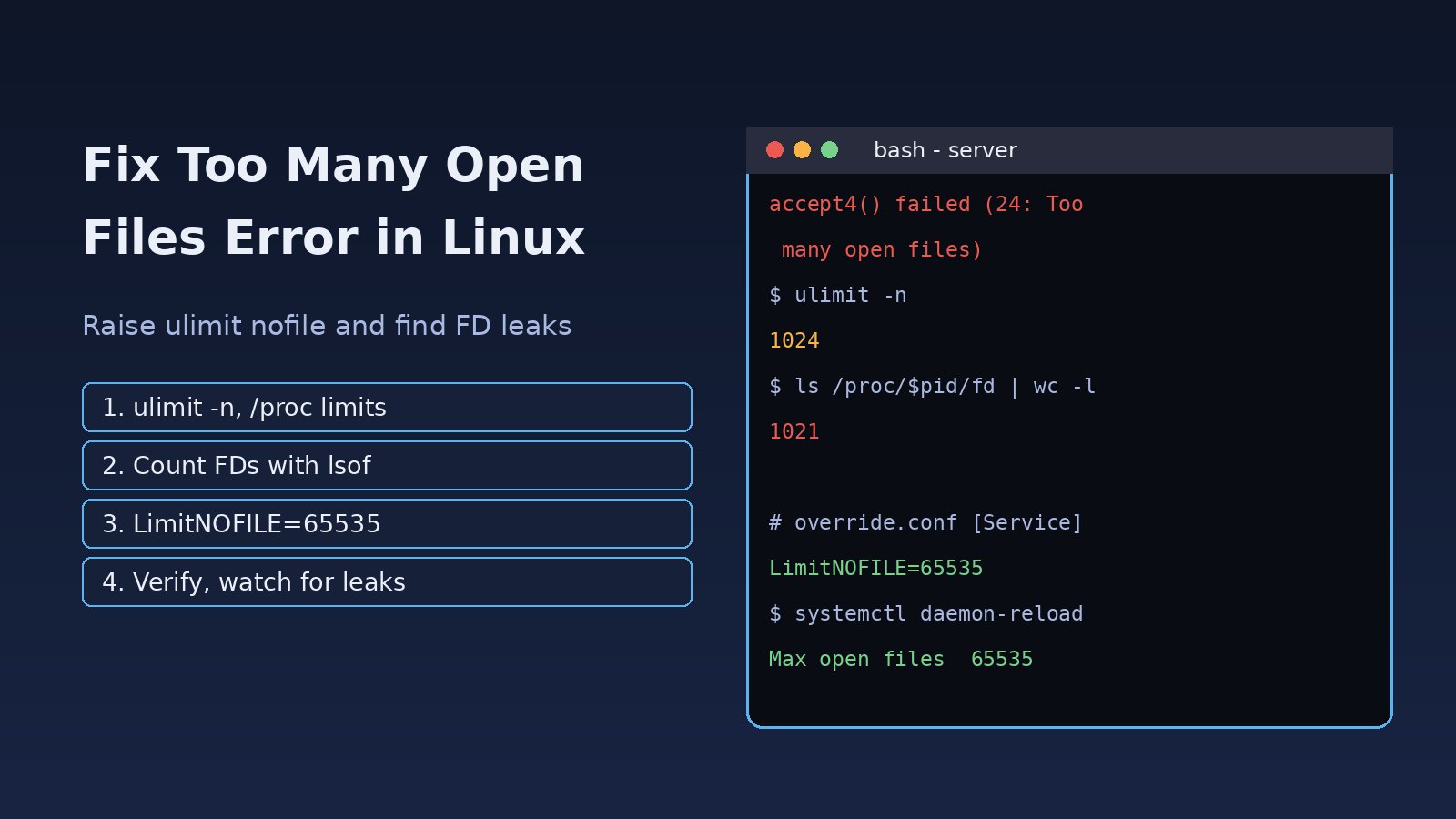
Your Node.js API starts refusing connections, Nginx logs socket() failed (24: Too many open files), or a Laravel worker dies with failed to open stream: Too many open files. The too many open files linux error means a process hit its file descriptor limit. In Linux, every open file, socket, pipe and network connection uses a file descriptor, so busy web servers, databases and queue workers run out faster than you would expect. This guide shows how to find which process is out of descriptors, raise the ulimit nofile value the right way (shell, systemd and system-wide), and check whether you actually have a descriptor leak.
Problem: Too Many Open Files Linux Error
The kernel returns EMFILE (error 24) when a single process reaches its own open file limit, and ENFILE (error 23, "Too many open files in system") when the whole machine reaches fs.file-max. Most servers hit the per-process limit, because the default soft limit on many distributions is only 1024. One Nginx worker with a few hundred clients and upstream connections, or a Node.js service holding keep-alive sockets, can pass that number during normal traffic.
Symptoms
Error: EMFILE: too many open files, open '/var/www/app/...'in Node.js or Next.jsaccept4() failed (24: Too many open files)orsocket() failed (24: Too many open files)in the Nginx error logjava.io.IOException: Too many open filesorOSError: [Errno 24] Too many open filesin Python- PHP warnings such as
failed to open stream: Too many open files - PostgreSQL logging
out of file descriptors: Too many open files; release and retry - Random 502 errors or refused connections under load while CPU and memory look normal
Root Cause
1. Low per-process file descriptor limit
Each process has a soft limit (what it currently gets) and a hard limit (the ceiling it may raise the soft limit to). A soft nofile limit of 1024 is simply too low for most network services.
2. systemd ignores limits.conf
This is the most common surprise. /etc/security/limits.conf is applied by PAM to login sessions. Services started by systemd do not go through PAM, so they use LimitNOFILE from the unit file or systemd's defaults. You raise the limit, check ulimit -n in your shell, see the new value, and the service still fails.
3. A file descriptor leak
If the open descriptor count keeps growing and never drops, the code is opening files or sockets without closing them: a stream that is never closed, an HTTP client created per request, database connections that are not returned to the pool. Raising the limit only delays the crash.
4. System-wide limit reached
Less often, the total number of open files across all processes reaches fs.file-max, and you see "Too many open files in system".
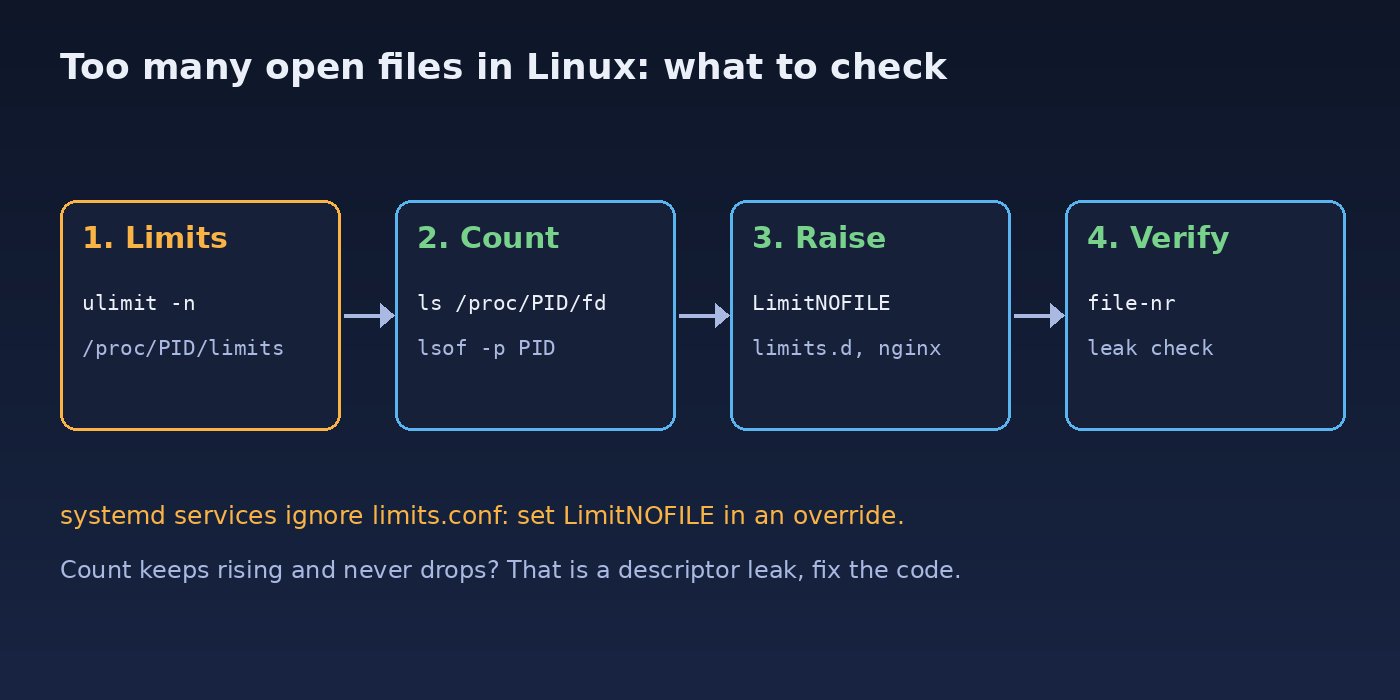
Step-by-Step Solution
Step 1: Check the current ulimit nofile values
Start with your shell limits, then check the real limits of the running service, which may be different:
ulimit -n        # soft limit for this shell
ulimit -Hn       # hard limit for this shell

# limits of a running process (replace with your service)
pid=$(pgrep -o nginx)
grep "Max open files" /proc/$pid/limits
The output looks like Max open files 1024 524288 files: the first number is the soft limit, the second is the hard limit. The value in /proc/PID/limits is the one that matters.
Step 2: Find which process is using the most file descriptors
# count open descriptors for one process
sudo ls /proc/$pid/fd | wc -l

# top 10 processes by open file descriptors
for p in /proc/[0-9]*; do
  n=$(sudo ls "$p/fd" 2>/dev/null | wc -l)
  echo "$n $(cat $p/comm 2>/dev/null) ${p#/proc/}"
done | sort -rn | head -10
If the count is close to the soft limit, you have found the process. To see what those descriptors are, use lsof:
sudo lsof -p $pid | awk '{print $5}' | sort | uniq -c | sort -rn   # by type: REG, IPv4, sock...
sudo lsof -p $pid | grep -c TCP
sudo lsof -p $pid | grep deleted        # deleted files still held open
Step 3: Raise the limit for a systemd service
For anything started by systemd (Nginx, PHP-FPM, Node.js, Redis, Laravel queue workers), set LimitNOFILE with an override instead of editing the packaged unit:
sudo systemctl edit myapp.service
# add these lines in the editor:
[Service]
LimitNOFILE=65535

sudo systemctl daemon-reload
sudo systemctl restart myapp.service
The override is stored in /etc/systemd/system/myapp.service.d/override.conf and survives package upgrades. If the service still fails after the change, check the unit with the steps in how to fix systemd service failed to start.
Step 4: Raise the limit for login shells and cron-style jobs
For processes started from an SSH session (manual scripts, php artisan commands, screen or tmux sessions), add entries to limits.conf or a file in /etc/security/limits.d/:
# /etc/security/limits.d/90-nofile.conf
www-data  soft  nofile  65535
www-data  hard  nofile  65535
*         soft  nofile  65535
*         hard  nofile  65535
Log out and back in, then run ulimit -n again. For a quick test in the current shell only, ulimit -n 65535 works up to the hard limit.
Step 5: Set the file descriptor limit inside the application
Some programs have their own setting that must also be raised. In Nginx, the worker limit is separate from the systemd limit:
# /etc/nginx/nginx.conf
worker_rlimit_nofile 65535;
events {
    worker_connections 16384;
}

sudo nginx -t && sudo systemctl reload nginx
Keep worker_connections well below worker_rlimit_nofile, because a proxied request uses two descriptors: one for the client and one for the upstream. Redis has maxclients, and PostgreSQL uses max_files_per_process; both depend on the process limit being high enough.
Step 6: Check the system-wide limit
cat /proc/sys/fs/file-nr     # allocated, unused, maximum
cat /proc/sys/fs/file-max

# raise it permanently if the first number is near the maximum
echo "fs.file-max = 2097152" | sudo tee /etc/sysctl.d/99-file-max.conf
sudo sysctl --system
Step 7: Fix a file descriptor leak in code
If the descriptor count climbs steadily, look for resources that are never closed. In Node.js, reuse one HTTP agent or client instead of creating one per request, and close streams on error:
// Node.js: reuse connections instead of opening new sockets per request
const http = require('http');
const agent = new http.Agent({ keepAlive: true, maxSockets: 50 });

// always close file streams, including on errors
const fs = require('fs');
const stream = fs.createReadStream(path);
stream.on('error', () => stream.destroy());<?php
// PHP / Laravel: close handles in long-running queue workers
$fh = fopen($path, 'r');
try {
// ... read the file
} finally {
fclose($fh);
}For Node.js projects that watch many files during development, EMFILE can also come from the file watcher. Raising the shell limit and the inotify limit (fs.inotify.max_user_watches) usually fixes it.
Verification
pid=$(systemctl show -p MainPID --value myapp.service)
grep "Max open files" /proc/$pid/limits      # should show 65535
watch -n 5 "sudo ls /proc/$pid/fd | wc -l"   # should rise and fall with traffic
sudo journalctl -u myapp.service --since "10 min ago" | grep -i "too many open files"
Run a short load test against staging and watch the descriptor count. A healthy service goes up under load and drops back when traffic stops. If it only goes up, you still have a leak.
Prevention
- Set
LimitNOFILEexplicitly in every production service unit, not only for the one that failed. - Monitor open descriptors per service and alert at around 80% of the limit.
- Reuse database connections with a pool and reuse HTTP clients.
- Restart long-running queue workers regularly, for example with
--max-jobsor--max-timein Laravel. - Watch for deleted files held open by processes; they also hold disk space, see no space left on device in Ubuntu.
- Check for stuck sockets when ports misbehave, as covered in address already in use on Linux.
FAQs
How do I check the file descriptor limit in Linux?
Run ulimit -n for your shell, and grep "Max open files" /proc/PID/limits for a running process. The process value is the one that matters for services.
Why does ulimit nofile not change for my service?
Services started by systemd do not read /etc/security/limits.conf. Set LimitNOFILE in a systemd override, run daemon-reload and restart the service.
What is a safe value for LimitNOFILE?
65535 is a common value for web servers, Node.js apps and Redis. Very large values are allowed, but if a service needs far more than that, check for a descriptor leak first.
What is the difference between EMFILE and ENFILE?
EMFILE means one process reached its own limit. ENFILE means the whole system reached fs.file-max.
Can too many open files cause 502 errors in Nginx?
Yes. When Nginx or the upstream app cannot open new sockets, requests fail. See 502 Bad Gateway in Nginx for the other common causes.



Comments
Join the discussion. Replies load on demand, up to 5 levels.
0 threads
No comments yet
Be the first to start the conversation.