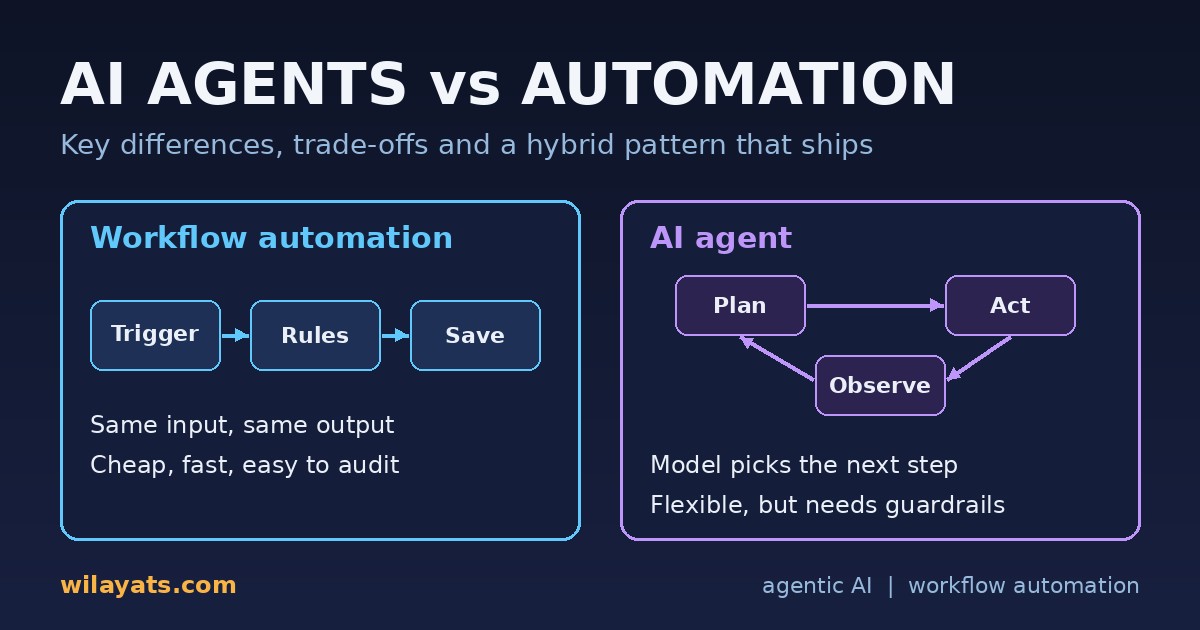
New tools keep promising that "AI agents" will replace the scripts, cron jobs and workflow builders your team already runs. The useful question is not "agents or automation?" but "which steps need judgement, and which must behave identically every time?" This post compares both approaches and shows a hybrid pattern I would actually ship.
What traditional workflow automation is
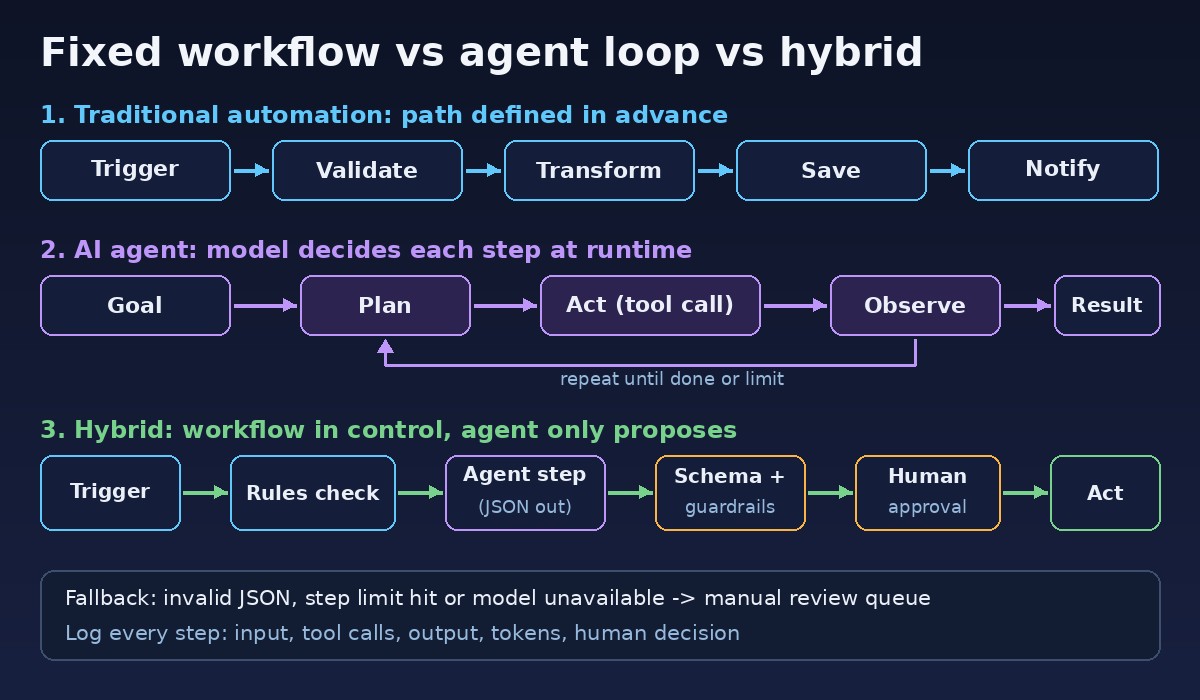
Workflow automation is a fixed sequence of steps defined in advance. A trigger fires (a form submission, a webhook, a cron job) and the system follows a known path: validate, transform, save, notify. Branches are explicit rules such as if price > 0 and city in allowed_cities.
The same input produces the same output, which makes it easy to test, audit and run cheaply. Queues, cron jobs, event handlers and Zapier-style builders all fall here. (If you are choosing between those building blocks, see Queue vs Cron Job vs Event.)
What an AI agent is
An AI agent is a program where a language model decides the next step at runtime. You give it a goal, tools (search the database, call an API, draft a message) and limits. It runs a loop: plan what to do, act by calling a tool, observe the result, and repeat until it believes the goal is met or it hits a limit.
Agentic AI is the broader term for systems built this way. Because the path is not written in advance, agents handle messy input well but are harder to predict, test and budget for.
AI agents vs automation: side-by-side comparison
Who decides the steps: traditional automation: The developer, at design time. AI agent: The model, at runtime.
Input it handles well: traditional automation: Structured data, known formats. AI agent: Free text, images, ambiguous requests.
Same input, same output?: traditional automation: Yes. AI agent: Not guaranteed.
Cost per run: traditional automation: Very low, predictable. AI agent: Model tokens per step; varies with the number of loops.
Latency: traditional automation: Milliseconds to seconds. AI agent: Seconds to minutes.
Testing: traditional automation: Unit and integration tests with exact assertions. AI agent: Evaluation sets, scoring and sampling.
Failure mode: traditional automation: Fails loudly on unexpected input. AI agent: Can fail quietly with a confident wrong answer.
Changing behaviour: traditional automation: Edit code or rules and redeploy. AI agent: Edit prompts, tools or examples.
Best for: traditional automation: Repetitive, rule-based, high-volume work. AI agent: Judgement calls, triage, research, drafting.
When to use each
Use traditional automation when
The rules can be written down and rarely change.
Mistakes are expensive: payments, invoices, permissions, legal records.
Volume is high and you need predictable cost and speed.
Use an AI agent when
Input is unstructured: emails, chats, scanned documents, photos.
A human currently does it by reading and choosing between a few actions.
An occasional imperfect result is acceptable, or a person reviews the output anyway.
The hybrid pattern: a fixed workflow with one agent step
The most reliable design is rarely a fully autonomous agent. It is a deterministic workflow that owns the process, with an agent used only for the step that needs judgement, wrapped in three things:
Structured output. The agent returns schema-valid JSON that the workflow checks before use. See how to get structured JSON output from an LLM.
Guardrails. Limit its tools, cap loop iterations and tokens, and never let it write directly to critical tables. Treat user-supplied text as untrusted; prompt injection is a real risk once an agent can take actions.
Human approval. Anything irreversible or customer-facing goes to a review queue until you have evidence the agent is reliable for that case.
The workflow owns retries, state and side effects. The agent only proposes.
Worked example: property listing intake
On a real estate portal, owners and agents submit listings with form fields, free-text descriptions and photos. A hybrid flow could look like this:
Trigger (automation): a submitted listing pushes a queue job.
Hard validation (automation): required fields, positive price, a valid city and area, phone format. Fail fast with a clear message.
Agent step: the agent reads the listing and may call tools like "find similar listings in this area" or "check for duplicates". It returns JSON with detected inconsistencies (for example "description says 3 beds, form says 5"), a duplicate-risk flag and a short reason for each.
Schema check (automation): if the JSON is invalid or the agent hits its step limit, the listing goes to manual review instead of retrying forever.
Routing (automation): clean listings with no flags are published. Flagged listings go to a moderator with the agent's reasons shown next to the data.
Human approval: the moderator approves, edits or rejects. Their decision is stored as evaluation data.
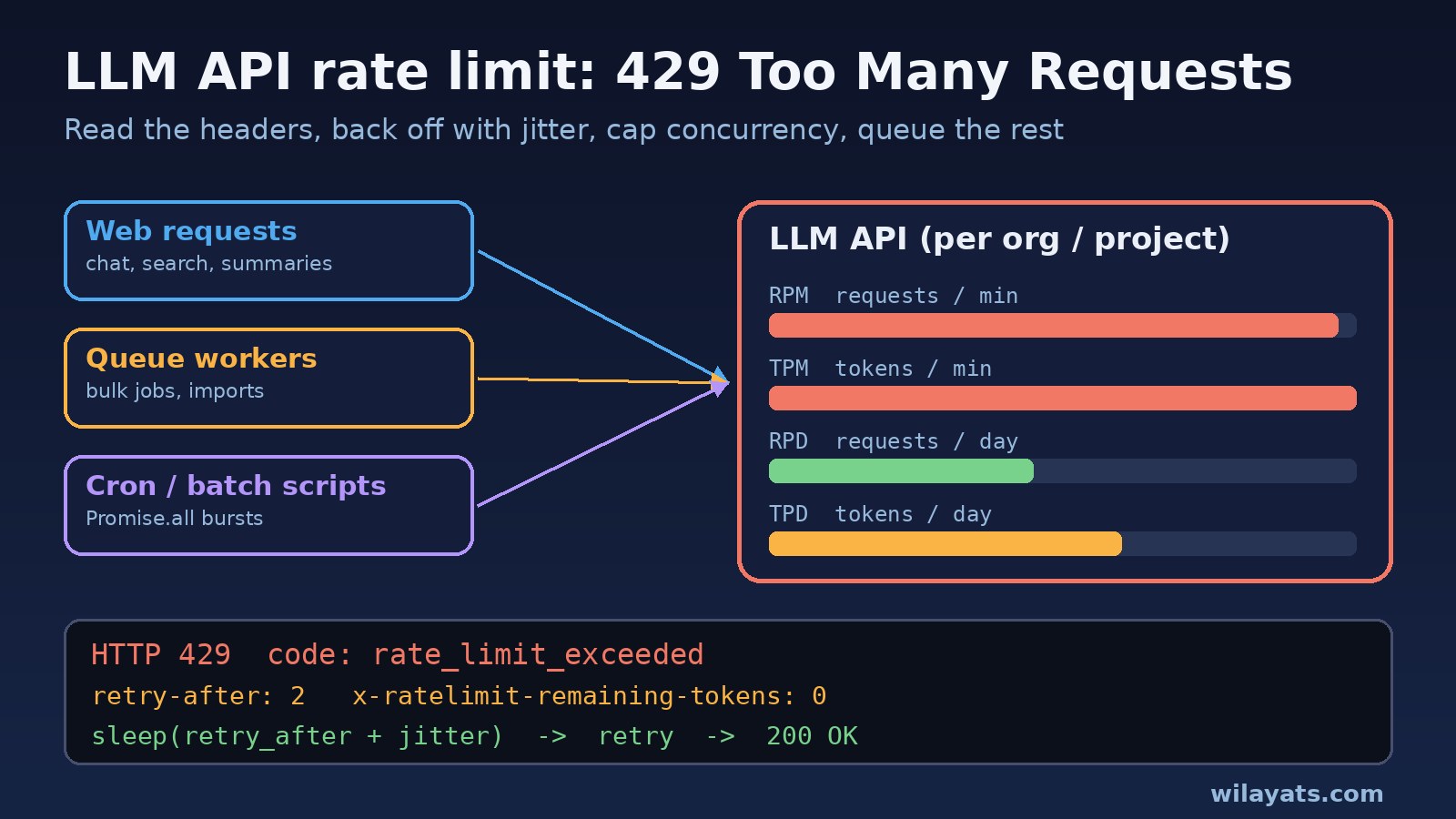
The agent never publishes or deletes anything. If the provider is down or returns 429 rate limit errors, the workflow falls back to manual review and nothing is lost. Support tickets follow the same shape; the AI maintenance request triage post walks through that case in detail.
Cost, reliability and observability trade-offs
Cost
A rule-based step costs almost nothing. An agent pays tokens for every loop, and a confused agent can loop several times. Cap the steps, use a smaller model where it is good enough, and send the agent only cases rules cannot handle. More ideas in keeping LLM API costs under control.
Reliability
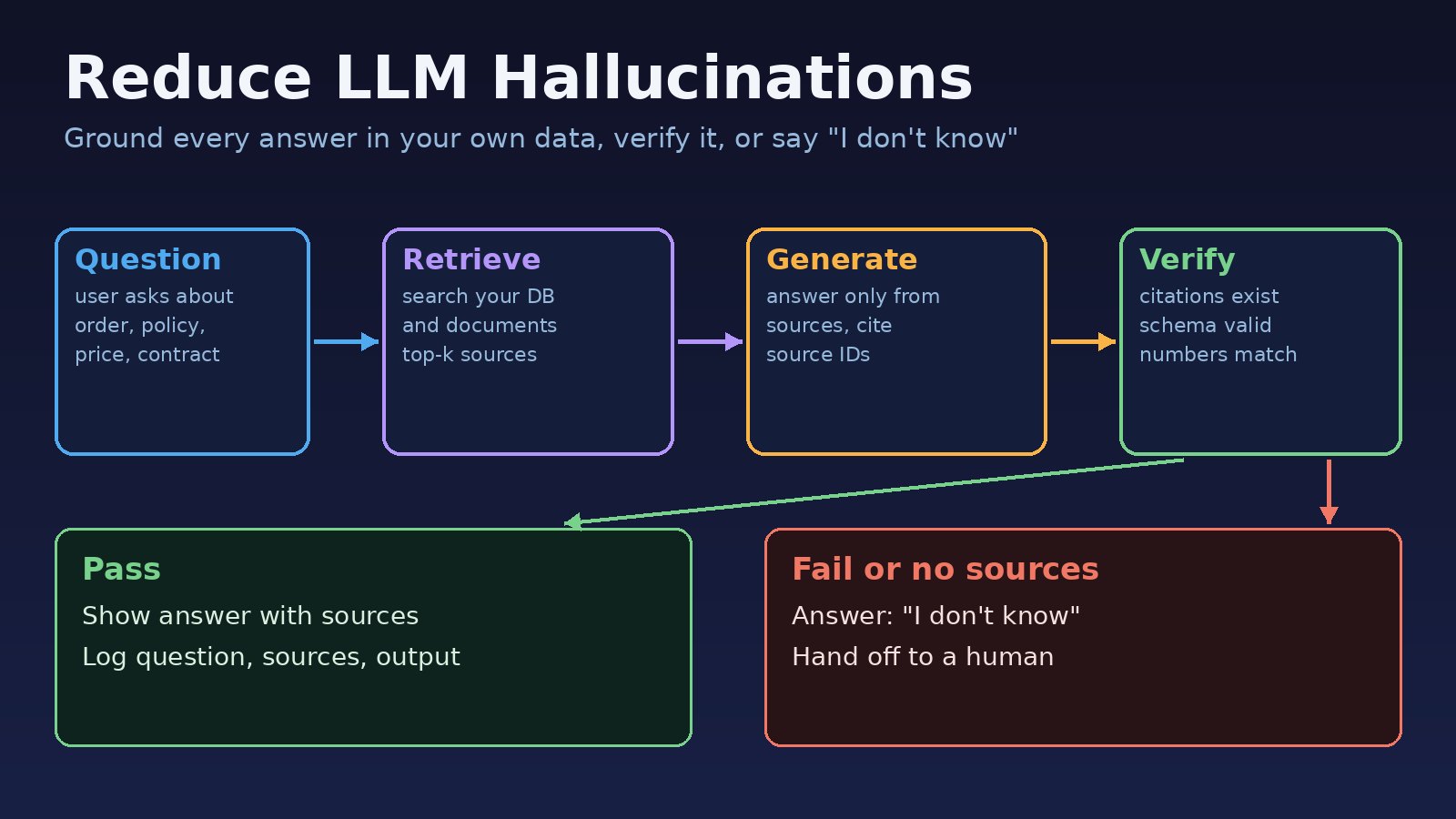
Automation usually breaks loudly. Agents can be wrong while sounding certain. Ground it in your own data through tools, and read how to reduce LLM hallucinations before you trust its output in production.
Observability
For agents, log every step: input, each tool call and result, final output, token usage and the human decision. Without that trace you cannot debug a bad answer or build an evaluation set. Before rollout, run the agent against saved real cases as described in how to test LLM features before they reach production.
Quick decision checklist
Can I write the rules for this step in under a page? If yes, automate it.
Is the input mostly free text, documents or images? Consider an agent step.
Is the action irreversible or financial? Keep it deterministic and add human approval.
Do I have logs and a test set to measure the agent? If not, build those first.
What happens when the model is slow or unavailable? Define the fallback before launch.
FAQ
Will AI agents replace workflow automation?
Unlikely for most business processes. Agents suit the judgement parts; deterministic workflows remain better for the predictable parts. Most production systems use both.
Is an LLM call inside a workflow an agent?
Not really. A single classify-or-extract call is an AI step inside automation. It becomes an agent when the model chooses tools and loops on what it observes.
How do I stop an agent doing something harmful?
Give it minimal tools, route writes through your validated APIs, cap its steps, and require approval for anything irreversible.
Where should a small team start?
Pick one manual reading-and-deciding step, such as tagging tickets. Add a model step that only suggests, measure how often humans accept it, and expand when the numbers justify it.
Conclusion
The "ai agents vs automation" debate is mostly a false choice. Use deterministic workflows for structure, money and audit trails, and agents for the narrow steps that need judgement. Keep the workflow in control, let the agent propose rather than act, and log everything.
Comments
Join the discussion. Replies load on demand, up to 5 levels.
0 threads
No comments yet
Be the first to start the conversation.