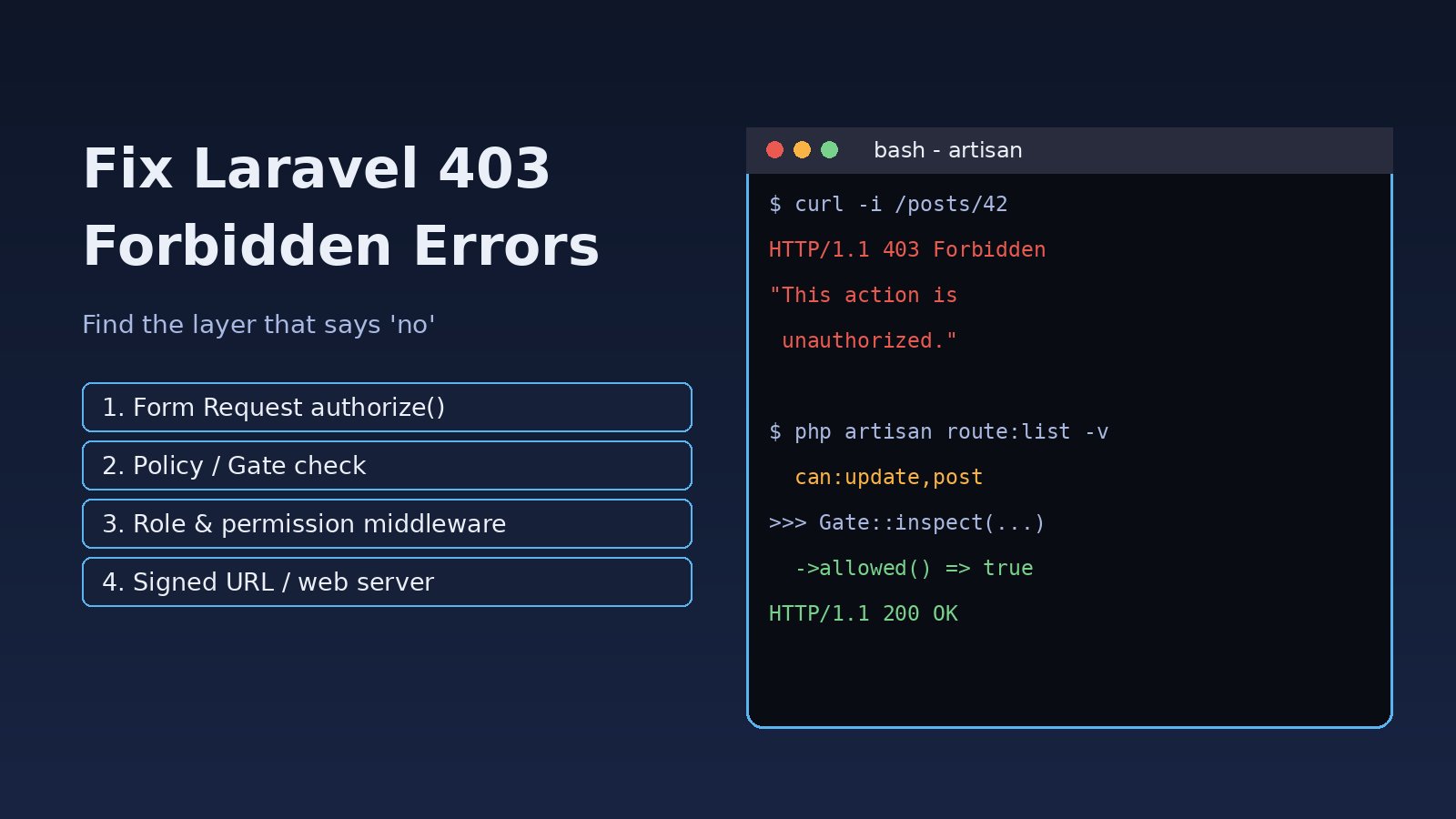
You click a button, call an API endpoint or open an admin page, and Laravel answers with 403 | This action is unauthorized or a plain 403 Forbidden. A laravel 403 forbidden response means the request reached the server, but something decided this user is not allowed to do this action. That "something" can be a policy, a gate, a Form Request, a middleware, a signed URL check, or even Nginx before Laravel runs at all. This guide shows how to find which layer is refusing the request and how to fix each one in Laravel 10, 11 and 12 projects.
Problem: What a Laravel 403 Forbidden Error Means
HTTP 403 means "I know who you are (or that you are a guest), and the answer is no." It is different from 401, which means "you are not logged in," and from 419, which is a CSRF or session problem. In Laravel, a 403 usually comes from an Illuminate\Auth\Access\AuthorizationException, which the framework converts into an HTTP 403 response. Calling abort(403) anywhere in your code gives the same result.
Because many parts of a Laravel app can return 403, the fix starts with finding the exact source, not with giving everyone admin rights.
Symptoms of a Laravel Authorization Error
These are the most common messages:
403 | This action is unauthorized.

{"message": "This action is unauthorized."}

403 | User does not have the right roles.
403 | User does not have the right permissions.

403 | Invalid signature.

{"message": "Invalid ability provided."}

403 Forbidden
nginx/1.24.0
Other signs:
- The page works for an admin but gives a permission denied error for normal users.
- A newly created Form Request makes every submit fail with 403, even for admins.
- Email verification or password reset links work locally but return 403 in production.
- The whole site, including the home page, returns the Nginx or Apache 403 page.
- Roles were changed in the database, but users still get the old access.
Root Cause: Why Laravel Returns 403
1. Form Request authorize() returns false
When you run php artisan make:request StorePostRequest, the generated authorize() method returns false. Laravel calls it before validation, so every request fails with "This action is unauthorized." until you change it. This is one of the most common causes for new projects.
2. A policy or gate denies the action
Gate::authorize('update', $post), $this->authorize(), @can and the can: middleware all ask a policy or gate. If the policy method returns false, the result is 403. Typical mistakes are comparing an integer ID with a string, checking the wrong column, or a logic error like return $user->id === $post->user_id on a model where the owner column is author_id.
3. The policy is not found
Laravel finds policies automatically when the names match: App\Models\Post uses App\Policies\PostPolicy. If your model or policy lives in another namespace, Laravel finds no policy, finds no gate with that name, and denies the action. You need to register it by hand.
4. Guest users and non-nullable User types
If a policy method is declared as view(User $user, Post $post), Laravel returns false for guests without even calling it. To allow guests, type the user as nullable: ?User $user.
5. Role and permission middleware
Packages such as spatie/laravel-permission add role: and permission: middleware. If the user lacks the role, or the role was given on a different guard (for example web instead of sanctum or api), you get "User does not have the right roles." The package also caches permissions, so database changes may not show up until the cache is reset. For a full role setup, see our guide to Laravel role-based permissions.
6. Invalid signed URLs
Routes with the signed middleware (email verification, temporary download links) return "403 Invalid signature." when the URL was changed, expired, or was generated for a different host or scheme. Behind a load balancer or proxy, Laravel may build the link with http:// while the user opens https://, which breaks the signature.
7. Sanctum token abilities
The abilities and ability middleware check token scopes. A token created with createToken('app', ['read']) gets 403 "Invalid ability provided." on routes that need write.
8. The web server, not Laravel
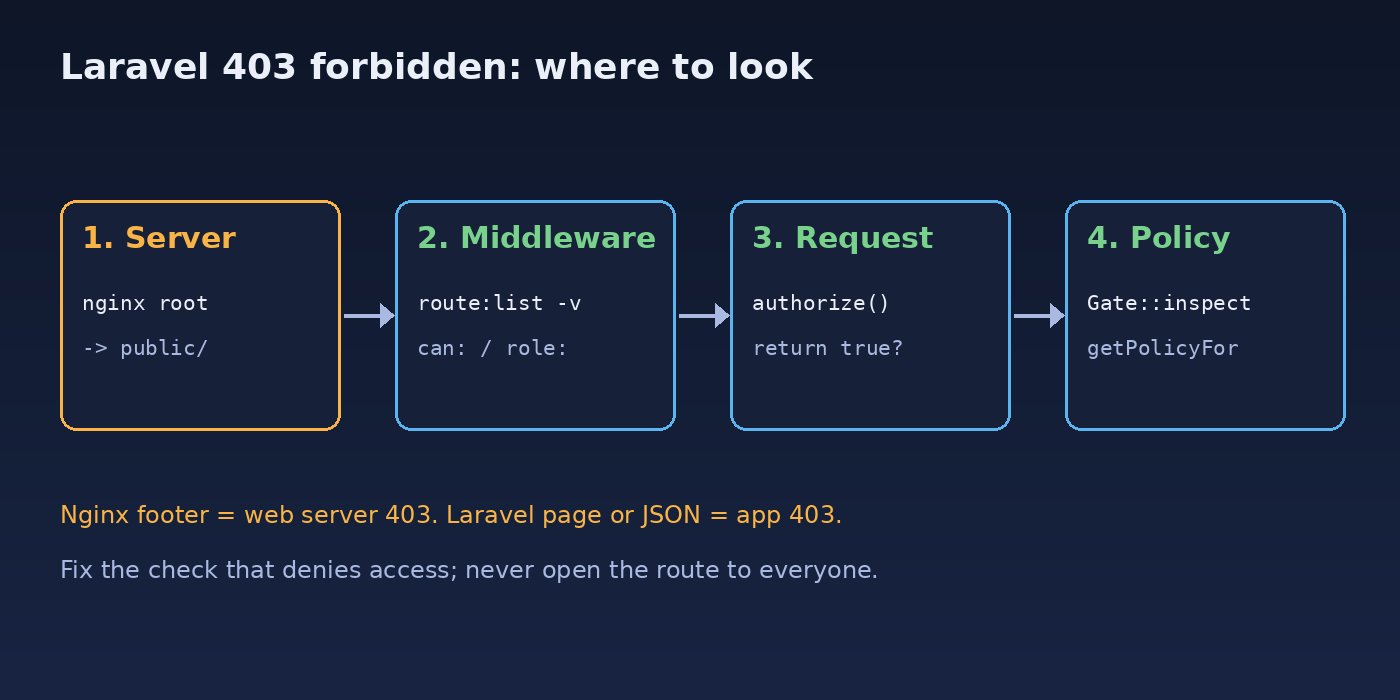
If the response is the plain "403 Forbidden" page with an nginx or Apache footer, Laravel never ran. The usual causes are a document root pointing to the project folder instead of public/, a missing index index.php line, or file permissions that stop the web server from reading files.
Step-by-Step Solution to Fix Laravel 403 Forbidden
Step 1: Find which layer returns 403
Look at the response. A Laravel error page or JSON message means the app returned it. A server footer means Nginx or Apache did. Then list the route and its middleware:
php artisan route:list --path=posts -v

# Example output
# PUT  posts/{post}  posts.update  PostController@update
#      ⇂ web
#      ⇂ auth
#      ⇂ can:update,post
Now you know which middleware runs. If none of them is an authorization middleware, the 403 comes from the controller, a Form Request or an abort(403) call. Search the code:
grep -rn "abort(403\|authorize(\|Gate::authorize\|function authorize" app/Step 2: Fix the Form Request
If authorization is handled elsewhere (route middleware or a policy), return true. Otherwise put the real check here:
public function authorize(): bool
{
    // Option A: authorization is done by middleware or policy
    return true;

    // Option B: check ownership here
    // return $this->user()->can('update', $this->route('post'));
}
Step 3: Test the policy directly
Gate::inspect() returns the decision and the message, so you can test a policy in Tinker with a real user and model:
php artisan tinker

>>> $user = App\Models\User::find(5);
>>> $post = App\Models\Post::find(42);
>>> Gate::forUser($user)->inspect('update', $post)->allowed();
=> false
>>> Gate::getPolicyFor($post);
=> null   // no policy found: register it
If getPolicyFor() returns null, register the policy. In Laravel 11 and 12, do it in AppServiceProvider:
use App\Domain\Blog\Post;
use App\Policies\PostPolicy;
use Illuminate\Support\Facades\Gate;

public function boot(): void
{
    Gate::policy(Post::class, PostPolicy::class);
}
In Laravel 10 and older, add it to the $policies array in app/Providers/AuthServiceProvider.php. Then fix the policy logic and use strict, typed comparisons:
public function update(User $user, Post $post): bool
{
    return $user->id === (int) $post->user_id;
}

// Allow guests to view published posts
public function view(?User $user, Post $post): bool
{
    return $post->published || $user?->id === (int) $post->user_id;
}
For a super admin role, use Gate::before() instead of editing every policy. Return null for other users so the normal checks still run:
Gate::before(function (User $user, string $ability) {
    return $user->hasRole('super-admin') ? true : null;
});
Step 4: Fix role and permission middleware
Check the user's roles and the guard they were assigned on, then clear the permission cache:
php artisan tinker
>>> $u = App\Models\User::find(5);
>>> $u->getRoleNames();
>>> $u->getAllPermissions()->pluck('name', 'guard_name');

php artisan permission:cache-reset
php artisan optimize:clear
If roles exist only on the web guard but the route uses auth:sanctum, either create the roles for that guard or set the guard in the middleware, for example role:editor,web.
Step 5: Fix "403 Invalid signature"
Make sure APP_URL matches the public URL and that Laravel trusts your proxy, so it knows the original request was HTTPS. In Laravel 11 and 12, configure this in bootstrap/app.php:
->withMiddleware(function (Middleware $middleware) {
    $middleware->trustProxies(at: '*');
})
Use a specific proxy IP instead of * if your load balancer has a fixed address. After changing .env, run php artisan config:clear, then generate a new link. Old links signed with the wrong URL stay invalid.
Step 6: Fix Sanctum token abilities
// Issue the token with the abilities the routes need
$token = $user->createToken('mobile', ['posts:read', 'posts:write']);

// Check what an existing token can do
$request->user()->tokenCan('posts:write');
If you are still setting up API tokens, our Laravel Sanctum authentication guide covers token and SPA setups.
Step 7: Fix a web server 403
Point the server's root to public/ and give it an index file:
server {
    server_name example.com;
    root /var/www/app/public;
    index index.php;

    location / {
        try_files $uri $uri/ /index.php?$query_string;
    }
}

# Check that the web server user can read the files
namei -l /var/www/app/public/index.php
sudo nginx -t && sudo systemctl reload nginx
If the error log shows permission denied, follow the steps in fixing Nginx permission denied errors.
Code and Commands: Log Every Denied Check
Laravel does not report authorization exceptions to your log by default. While debugging, a Gate::after() hook shows every ability that was denied, with the user:
use Illuminate\Support\Facades\Gate;
use Illuminate\Support\Facades\Log;

Gate::after(function ($user, string $ability, ?bool $result, array $arguments) {
    if ($result === false) {
        Log::warning('Authorization denied', [
            'user'    => $user?->id,
            'ability' => $ability,
            'args'    => array_map(fn ($a) => is_object($a) ? $a::class : $a, $arguments),
        ]);
    }
});
Return a clear message from a policy so the client and your logs show why the request was refused:
use Illuminate\Auth\Access\Response;

public function delete(User $user, Post $post): Response
{
    return $user->id === (int) $post->user_id
        ? Response::allow()
        : Response::deny('You can only delete your own posts.');
}
Verification
- The request now returns 200 (or 302 for a form redirect) for allowed users, checked with
curl -ior the browser network tab. - Users who should not have access still get 403. Fixing a 403 must not open the route to everyone.
Gate::forUser($user)->inspect('update', $post)->allowed()returns the expected value in Tinker.- The
Gate::after()log shows no unexpected denials. Remove the hook when you are done if it is too noisy. - A feature test covers both cases:
public function test_owner_can_update_post(): void
{
    $post = Post::factory()->create();
    $this->actingAs($post->user)
        ->put(route('posts.update', $post), ['title' => 'New'])
        ->assertRedirect();
}

public function test_other_user_gets_403(): void
{
    $post = Post::factory()->create();
    $this->actingAs(User::factory()->create())
        ->put(route('posts.update', $post), ['title' => 'New'])
        ->assertForbidden();
}
Prevention
- Decide where authorization lives for each route (middleware, policy or Form Request) and keep it in one place.
- Change the default
return falsein every new Form Request right away. - Keep policies next to models with matching names so auto-discovery works, or register them in one provider.
- Write a "forbidden" feature test for every protected route.
- Run
php artisan permission:cache-resetin your deploy script if you change roles in seeders. - Set
APP_URLand trusted proxies correctly in every environment. - In ERP-style apps with many roles, keep a single permission matrix, as described in ERP role-based access control.
FAQs
How do I fix laravel 403 forbidden "This action is unauthorized"?
Find what denied the request. Check the Form Request authorize() method first, then the route middleware with php artisan route:list -v, then the policy with Gate::inspect() in Tinker.
What is the difference between 401, 403 and 419 in Laravel?
401 means the user is not authenticated. 403 means the user is known but not allowed. 419 means the CSRF token or session expired. A 419 needs a different fix, covered in our Laravel 419 page expired guide.
Why do I get a Laravel permission denied error only in production?
Common reasons are a cached permission list, roles seeded only on your local database, a wrong APP_URL that breaks signed URLs, or a web server root that does not point to public/.
Why does my Laravel policy always return false?
Laravel may not find the policy (check Gate::getPolicyFor($model)), the user may be a guest with a non-nullable User type, or the comparison may mix strings and integers.
How do I give an admin access to everything?
Use Gate::before() and return true for the admin role. Return null for everyone else so their normal policy checks still run.
Can a Laravel authorization error come from Nginx?
Not a Laravel authorization error, but a 403 can come from Nginx before Laravel runs. If the page shows an nginx footer, check the server root, the index directive and file permissions.



Comments
Join the discussion. Replies load on demand, up to 5 levels.
0 threads
No comments yet
Be the first to start the conversation.